How AI Decision-Making is Improving Enterprise Outcomes
Blog
Share 
Revolutionize Your Data Science with Snowflake's ML Platform
 12 December 2024
  Team Beinex
 Snowflake's ML platform empowers data scientists to build, train, and deploy sophisticated models with unprecedented ease and efficiency. By seamlessly integrating with your existing data infrastructure, Snowflake eliminates the need for data movement and ETL processes, accelerating time-to-insight. Advanced model analysis tools provide deep insights into model performance, enabling data scientists to identify areas for improvement and optimize models for optimal results. Granular model customization and efficient workflow automation streamline the entire ML lifecycle, empowering data scientists to focus on innovation rather than mundane tasks.
ML Model Management
• Accelerated Development: Streamline model development with intuitive tools for versioning, tracking, and deployment. • Advanced Analysis: Gain deep insights into model performance through comprehensive metrics and visualizations. • Seamless Integration: Leverage Snowflake's power within your existing data infrastructure. • Granular Customization: Fine-tune models for optimal performance. • Efficient Automation: Reduce manual tasks and accelerate time-to-value.
Check out the Snowflake MLOps: https://app.snowflake.com/marketplace/listing/GZT8Z14W95X/beinex-consulting-llc-mlops


Beinex, as a premier Snowflake partner, is committed to helping organizations unlock the full potential of their data. By leveraging Snowflake's ML capabilities, Beinex offers a comprehensive suite of services, including data engineering, model development, and deployment. Our team of experienced data scientists and engineers can help you build robust and scalable ML solutions that drive business value.
Beinex empowers businesses to maximize the value of their Snowflake investments. By providing expert guidance and innovative solutions, Beinex helps organizations optimize costs, enhance performance, and ensure data security. Through advanced analytics and proactive monitoring, Beinex identifies cost inefficiencies, pinpoints root causes, and offers data-driven recommendations to optimize resource allocation. By implementing preventative measures, Beinex helps organizations proactively manage costs and avoid unexpected spikes.
Related Articles
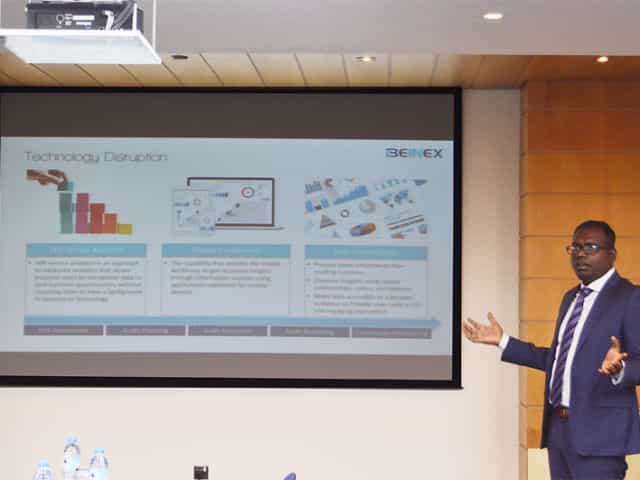
SELF SERVICE AUDIT ANALYTICS
TRANSFORM THE WAY YOU AND YOUR ORGANIZATION WORK WITH DATA –SELF SERVICE AUDIT ANALYTICS
Increasing complexities of risks and incessant emergence of disruptive technologies are demanding substantial change in internal audit processes. In today’s world of constant disruption, internal audit should evolve into a dynamic and future-oriented function. Businesses need broad-spectrum audit processes that extend beyond reviewing the obvious. Auditors should adopt forward-looking IA approaches, and should be able to provide deeper and valuable insights on strategy, execution, emerging risks, and hidden opportunities.
The 2016 Deloitte Global Chief Audit Executive Survey that polled more than 1200 CAEs from 29 countries and a diverse range of industries, reaffirms the growing need to conduct analytics-based auditing. More than a three quarter of the CAEs (79%) recommend the need for digital disruption and innovation to transform internal audit and enhance its value. The survey also cited the increasing relevance of cutting-edge technologies such as artificial intelligence, cognitive computing, and visual analytics.
Is skill-gap a concern?
More than half of CAEs (57%) who participated in the survey expressed their intense dissatisfaction about inadequate skills and insufficient expertise of audit teams.
When left unaddressed, these skill gaps will weaken auditors’ capabilities to deliver on changing stakeholder expectations. Stakeholders expect more forward-looking analysis to uncover risks and hidden opportunities. Or, gone are the days of static audit reports and analysis of sample data.
The Deloitte survey also cites risk anticipation (39%) and data analytics (34%) as the two groundbreaking innovations that are most likely to impact internal audit within the next five years. Changing business landscapes, technological advancements, and proliferation of data have brought forth the imminent need to leverage analytics and data visualization to increase the impact, influence, and effectiveness of internal
audit
Analytics Adoption Challenges
Even after 30 years of inception of data analytics, many auditors continue to adopt conventional internal audit methods and lag in technology adoption. Wondering why? Here are some of the reasons:
Can technology disruption be a savior?
Advancements in technology are fundamentally changing the nature of the audit and improving its effectiveness and relevance. Here are a few game-changing technology solutions that auditors can harness effectively to enhance the way they work with data:
1.Self-service analytics – Smart analytics for all
Self-service analytics is no more a buzzword. It’s the new norm. Self-service analytics empowers auditors to access data, perform queries, and create interactive reports that add richness and granularity to the insights derived. Anyone and everyone, with or without technical expertise, can harness the power of self-service analytics to work seamlessly with large data sets of any size or type, and discover savvy insights without having to write codes or learn programming languages.
Key advantages of using self-service analytics tools: Explore your data and create ad-hoc reports without IT skills
2.Mobile Analytics – Audit insights on the go
Regardless of the size of an organization or availability of data, it takes weeks to prepare and present comprehensive audit reports. The numbers are usually saved offline as large files or copied to multiple slides for boardroom meetings.
Mobile data analytics enables a concise and easily accessible digital avatar of audit reports and dynamic dashboards that can be accessed on mobile devices to interact and proactively monitor the business information on the go.
3.Data Visualization
When it comes to presenting audit data, reports and findings, one gets a single view of the entire raw data, all at once. This makes it difficult to decipher what is important and what isn’t, the reason why the point of sharing information gets defeated. Data visualization helps get a flexible and reliable way to identify and share pertinent information in a manner that everyone can easily understand.
There are many reasons why auditing is ripe for self-service analytics and visualization driven transformation. There is more data to examine within limited time span. Most financial and operational transactions are moving online, and the number of variables, outliers, trends, and patterns to identify and analyze continue to increase each day.
Visual analytics is the fastest way to analyze and understand structured or unstructured data of any size, without IT assistance. Visual technologies help speed up and improve decision making with heat maps, bubble charts, and interactive dashboards that are easy for C-suite executive, non-technical business users, and stakeholders to understand.
Everything gets better when you can do it yourself, right? Self-service audit analytics and visualization too are not different.
Benefits of self-service analytics in Internal Audit
Skills gap
Insufficient IT support
Difficulty to manage and manipulate data
Increasing requests for ad-hoc analysis and one-off reports
Difficulty in dealing with the basic aspects of data management and governance
Easy access to any source data
Guided analysis – Faster answers to complex questions
Intuitive drag-and-drop interface to create and share interactive reports.
Natural language processing to respond to complex queries
Interactive visualizations and personalized dashboards to identify patterns and trends
Fast to deploy and easy to manage
All-encompassing data analysis anywhere, at anytime
Process more information than reading numbers
Discover insights using spatial relationships, colors, and textures
Make data accessible to a broader audience and provide users with a rich and engaging experience

Tableau with AWS: Business Intelligence and Data Analysis of a Higher Order
The cloud-based approach delivers:
1. Better performance2. More flexibility
3. Enhanced cost savings
4. Improved security
5. Facilitates excellent teamwork opportunities
Specifically, Tableau on AWS lets you process data more quickly and scale up or down resources as needed. Plus, you can access a range of AWS services to optimise your Tableau setup. AWS also provides tools to help you save money and a secure environment to protect against cyber threats and data breaches. Ultimately, Tableau on AWS enables teams to collaborate more efficiently, taking their data analysis and business intelligence to the next level.
There are several other benefits to using Tableau on AWS beyond scalability, cost, and security. Here are some additional insights:
1. Faster Deployment: With Tableau on AWS, you can deploy new instances of Tableau in minutes rather than days or weeks as you would with on-premises infrastructure. This is because AWS has pre-configured templates for Tableau that make it easy to spin up new instances quickly. 2. Better Performance: Tableau on AWS is designed to exploit AWS's high-performance infrastructure. Tableau runs faster and more efficiently on AWS than on traditional on-premises infrastructure. 3. Integration with Other AWS Services: Tableau on AWS integrates seamlessly with other AWS services, such as Amazon S3 for data storage, Amazon Redshift for data warehousing, and Amazon EMR for big data processing. This makes building a complete analytics solution easier by using Tableau and other AWS services. 4. Improved Disaster Recovery: With Tableau on AWS, disaster recovery is built. AWS provides automated backup and recovery services to quickly recover your Tableau environment and data if there is a disaster or outage. 5. Global Reach: AWS has data centres worldwide, meaning you can deploy Tableau in the region closest to your users for better performance. This is especially important for organisations with a global presence.Overall, Tableau on AWS offers several advantages over on-premises infrastructure. By leveraging AWS's scalability, cost-effectiveness, and security, organisations can run Tableau more efficiently and with better performance. Additionally, AWS's integration with other services and global reach make it an attractive option for organisations looking to build a comprehensive analytics solution.
Tableau Server on AWS deployment options
The following list outlines the available options for deploying Tableau Server on AWS:
1. Self-Deployment on EC2 Instance: This option involves users provisioning and configuring an EC2 instance and deploying Tableau Server. This provides the most significant control over the deployment process and can be customised to specific needs. However, it also requires more expertise and effort from the user.
2. Quick Start Deployment: The Tableau Server on AWS Quick Start provides an automated deployment process using AWS CloudFormation templates. This simplifies the deployment process and ensures that best practices are followed. However, it may be less customisable than self-deployment.
3. AWS Marketplace Deployment: Tableau Server is also available on the AWS Marketplace with pre-built AWS CloudFormation templates. This provides a quick and easy way to deploy Tableau Server, with different pricing and instance options public. However, users may have less control over the deployment process than over self-deployment.
Users should evaluate their specific needs and expertise when selecting a deployment option. Self-deployment provides the most significant control and customisation, while Quick Start and AWS Marketplace deployment offer simplified and quick deployment options.

THE KEY FEATURES OF TABLEAU 2019.1
The Key Features of Tableau 2019.1
I’ve always been a huge Tableau fan and one of the biggest reasons why is that I can always count on Tableau for bringing out new exciting features in every release. With new quarter, Tableau has yet again released a new version after a thorough research based on people’s experience, thoughts and comments.
As a result, Tableau 2019.1 has plenty of new and insightful features amongst which is a feature called Ask Data which will make our life so much easier! There are so many other new features which everyone will appreciate, such as Prep Conductor, Automatic Dashboard Phone Layout, URL Action improvements, Nested Sorting improvements, connector for Microsoft Azure SQL data warehouse and many more!
Here are my top picks from the list.
Ask Data
Are you not a data analyst but still love to play with data? You have a question in mind but don’t know how to get to the answer from all the data? Just Ask Data! Ask or type the question in your natural language and Tableau will not only give you the answer but also visualize it in a stunning way! We thought this one deserves its own blog with detailed information and so we decided to share one with you, keep your eyes open as it is coming soon to our blog!
Prep Conductor
Keep your data fresh with Prep Conductor. Tableau Prep is helping organizations with preparing and sorting their data easily. This new addition allows you to automate this process on Tableau Server or Online. You can schedule and manage your data flows created on Prep. It can be seamlessly integrated to your existing schedules of Server or Online. You can manage the permissions to your flow regarding who should run, edit, download and so much more.
Nested Sorting
Thinking that sorting a hierarchical field would make your work easier? It is the most talked about and wanted feature and Tableau 2019.1 has got you covered! With this feature, you can visually define how you want to sort within multiple dimensions helping to capture the trends in categorical data bringing out wonderful insights.
Mobile View
Everybody is using smart phones. For everything. Everywhere. Period. Tableau knows it and continues to create more phone friendly features.
Now you can create customized mobile layouts for your dashboards even if it’s not listed in default options. This comes in handy when your phone is not listed in the model. Tableau 2019.1 brings to its users customized phone layout for specific uses including interactive offline previews and automatically adding phone layouts to new dash board. Now, others can view your visually stunning creative dashboards via their phone in a sophisticated way.
URL Improvements
Decide how you want the URL action to work with the new URL improvements in Tableau 2019.1. Target specific URL actions enable the user to control the view of any external information linking to your dataset. Develop intuitive, integrated and innovative dashboards by connecting to all the necessary information outside your data source.
Microsoft Azure SQL Data Warehouse Connector
Be it on cloud or on premises, Tableau keeps on adding more data connections to make it easy for users to leverage the native way of connecting. This came up with the connector to Microsoft Azure cloud service in the current release. This helps in avoiding ODBC in making connections to the data stored in Microsoft Azure Data warehouse.
I’m very excited about all these new features, what about you?
Are you interested in learning more about Tableau’s new features or the features that are yet to come in the next versions? Are you a Tableau user and would like to become a Tableau Champion? Or are you new to Tableau and it just seems like something you could use to work with your data?
Please contact us at training@beinex.com/ info@beinex.com and we would be happy to schedule a Tableau demo or training for you and your company.
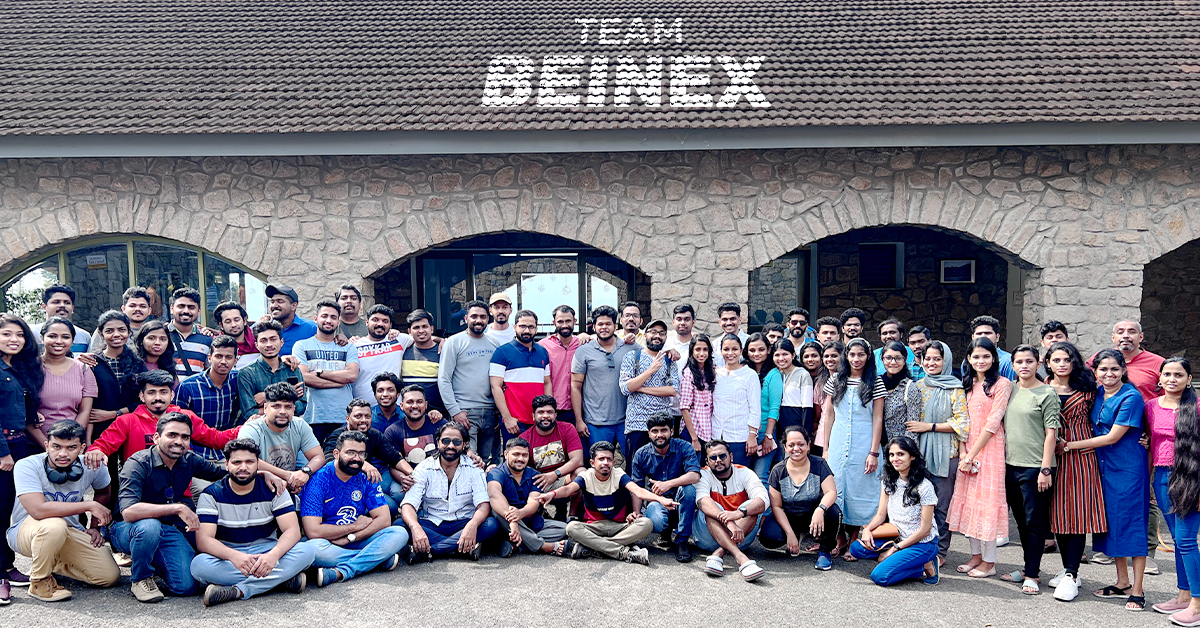
Just Go Wild: Beinex Offsite Visit to Munnar
We all boarded after breakfast from Edapally into the buses waiting as planned. Our journey to Munnar resembled the long-lost college trips, filled with songs, dances and ‘Antaksharis’. Finally, we reached our destination passing vast expanses of tea estates and dewy mountains.
Munnar is an exotic place with a breath-taking landscape and scenic spots. The chilly hill station stole our minds with its exotic flora and fauna. Our team stayed in a luxury resort: Mountain Club. The cottages chosen for us resembled the colonial architecture from the bygone era. The bedrooms were cosy, with a balcony open to the rustic surroundings.
The lunch was a luxurious affair that included starters to desserts. We used the mealtime to get to know more about each other. Then, we all attended the motivation speech by Sibu Varghese which was quite insightful, followed by an interactive session. Then, we interacted with and introduced each other. Personal interaction creates tight bonds and has an integral role in team building. We all broke the ice by sharing our stories and telling jokes. It was fun to get to know each other.
 In the evening, we had a wild-theme based gala party, and all got dressed up in sync with the theme, ‘Just Go Wild’. It was fun to watch everyone from the Manager to the employees dressed up in the same theme. We had an exhilarating DJ party manned by Darryl Gaulbert which made us all shake a leg to the tune. We danced and roared to the music. It was indeed wild!
The following day after breakfast, we met our founder Indumon Das, who had a chat with us regarding the journey of Beinex and his vision. It inspired us all to have a dream and pursue it fearlessly. Some of us accessed the infinity pool late afternoon and had great fun swimming and playing pool ball.
It was a blissful evening based on an ethnic wear theme. We competed for the best ethnic outfit of the evening. The different hues and styles made the evening stunning. Everyone flaunted the traditional wear in style. We had a musical evening with a live barbeque and a sumptuous dinner.
Finally, the day of leaving Munnar dawned; March 19. We all had breakfast in the morning and packed our backpacks. Most of us were pretty reluctant to leave Munnar as we were not ready to lose the bond we created together. Nonetheless, we vowed to stay connected. We boarded the buses around 10 AM and waved goodbye to Munnar.
When we reached Edapally in the evening, a surprise goody bag was waiting. It was an impressive and admirable gesture from our firm. Beinex has a culture of nurturing growth and spreading positivity, and employees’ comfort is the priority here.
In the evening, we had a wild-theme based gala party, and all got dressed up in sync with the theme, ‘Just Go Wild’. It was fun to watch everyone from the Manager to the employees dressed up in the same theme. We had an exhilarating DJ party manned by Darryl Gaulbert which made us all shake a leg to the tune. We danced and roared to the music. It was indeed wild!
The following day after breakfast, we met our founder Indumon Das, who had a chat with us regarding the journey of Beinex and his vision. It inspired us all to have a dream and pursue it fearlessly. Some of us accessed the infinity pool late afternoon and had great fun swimming and playing pool ball.
It was a blissful evening based on an ethnic wear theme. We competed for the best ethnic outfit of the evening. The different hues and styles made the evening stunning. Everyone flaunted the traditional wear in style. We had a musical evening with a live barbeque and a sumptuous dinner.
Finally, the day of leaving Munnar dawned; March 19. We all had breakfast in the morning and packed our backpacks. Most of us were pretty reluctant to leave Munnar as we were not ready to lose the bond we created together. Nonetheless, we vowed to stay connected. We boarded the buses around 10 AM and waved goodbye to Munnar.
When we reached Edapally in the evening, a surprise goody bag was waiting. It was an impressive and admirable gesture from our firm. Beinex has a culture of nurturing growth and spreading positivity, and employees’ comfort is the priority here.
 Yes, we had a fantastic time together. After this retreat, our rejuvenated and motivated minds are ready to bounce back to work with enhanced spirit. We are looking forward to more team building sessions in the future to meet each other more often.
In the evening, we had a wild-theme based gala party, and all got dressed up in sync with the theme, ‘Just Go Wild’. It was fun to watch everyone from the Manager to the employees dressed up in the same theme. We had an exhilarating DJ party manned by Darryl Gaulbert which made us all shake a leg to the tune. We danced and roared to the music. It was indeed wild!
The following day after breakfast, we met our founder Indumon Das, who had a chat with us regarding the journey of Beinex and his vision. It inspired us all to have a dream and pursue it fearlessly. Some of us accessed the infinity pool late afternoon and had great fun swimming and playing pool ball.
It was a blissful evening based on an ethnic wear theme. We competed for the best ethnic outfit of the evening. The different hues and styles made the evening stunning. Everyone flaunted the traditional wear in style. We had a musical evening with a live barbeque and a sumptuous dinner.
Finally, the day of leaving Munnar dawned; March 19. We all had breakfast in the morning and packed our backpacks. Most of us were pretty reluctant to leave Munnar as we were not ready to lose the bond we created together. Nonetheless, we vowed to stay connected. We boarded the buses around 10 AM and waved goodbye to Munnar.
When we reached Edapally in the evening, a surprise goody bag was waiting. It was an impressive and admirable gesture from our firm. Beinex has a culture of nurturing growth and spreading positivity, and employees’ comfort is the priority here.
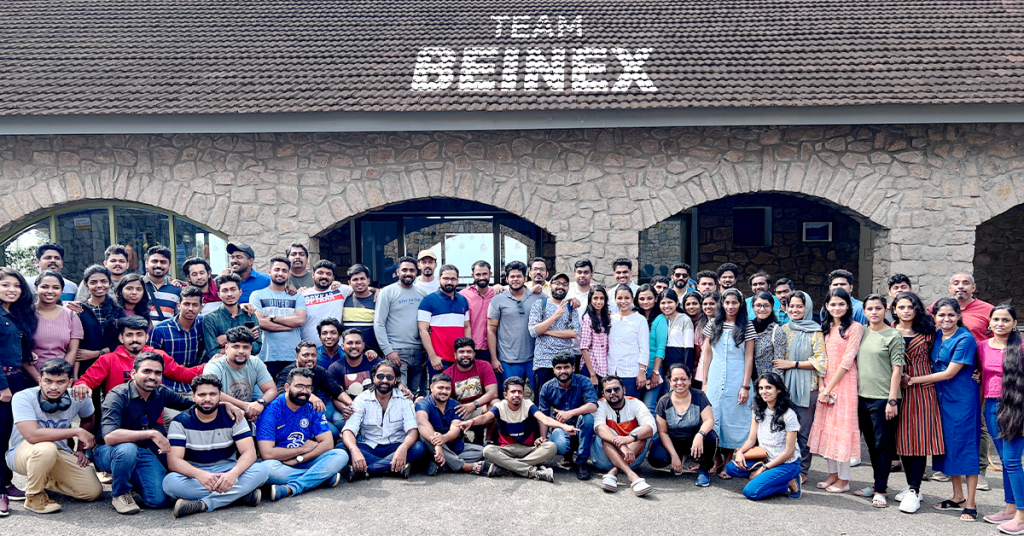
Yes, we had a fantastic time together. After this retreat, our rejuvenated and motivated minds are ready to bounce back to work with enhanced spirit. We are looking forward to more team building sessions in the future to meet each other more often.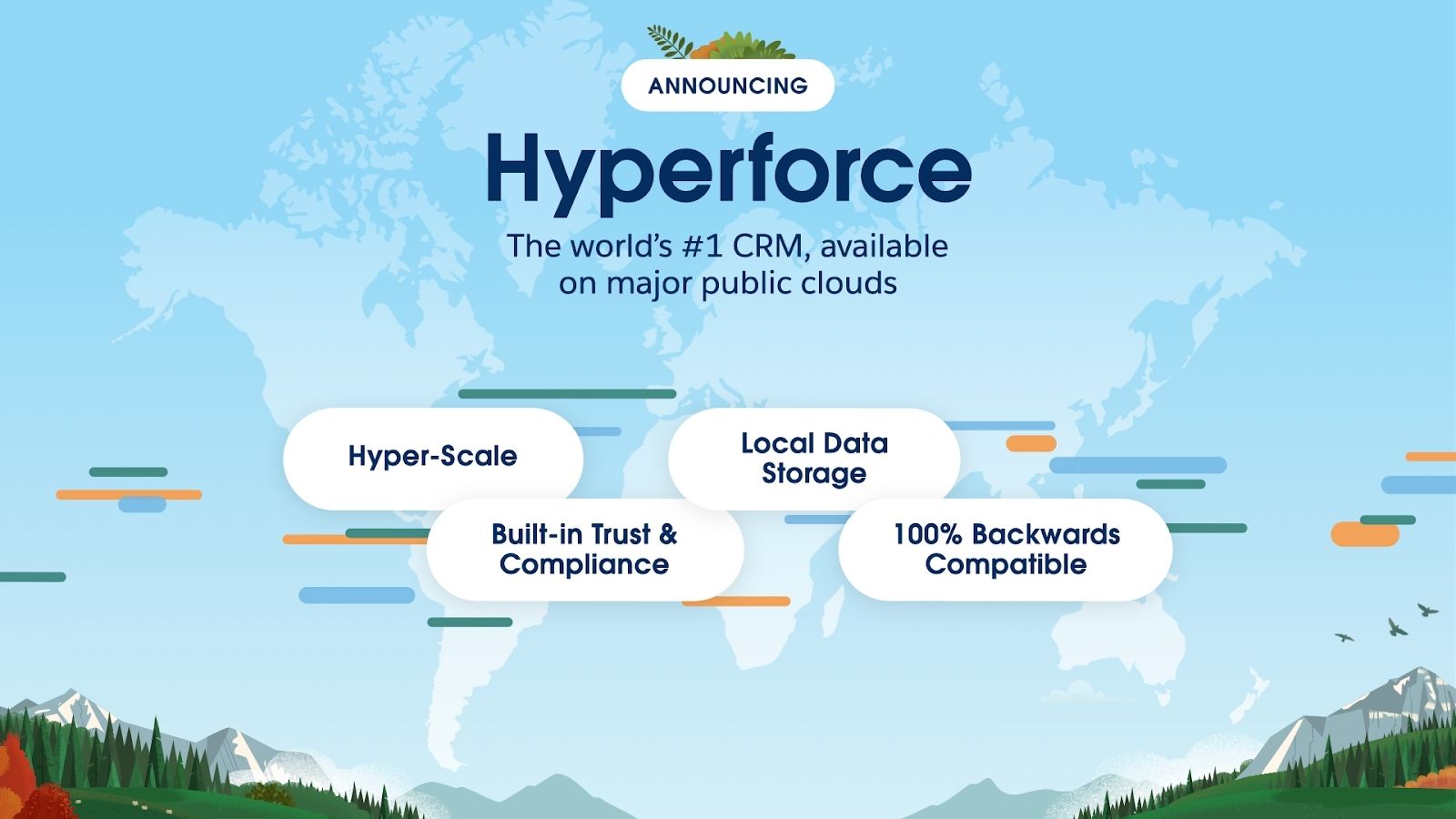
Let the force be with you: Data residency and Hyperforce
After two very long masked years, the world has slowly started to breathe, again!
With lockdowns on and work taking place from the very room you had slept a couple of hours back -- the human universe has been phenomenally re-engineered by a microscopic organism.
Your geographical location has been made immaterial in the digital world. But the same cannot be said about data, and this may sound paradoxical and ironic. For instance, an MNC’s location of the data now matters more than ever before. With a major chunk of data of many entities, especially government ones, on the public cloud, the airing of concerns related to data security, data sovereignty, data localisation/ data residency is growing louder in decibel terms.