How AI Decision-Making is Improving Enterprise Outcomes
Blog
Share 
How Mywhoosh Standardized Collaborative Workflow Creation by Implementing the “Alteryx Server” Platform on AWS that Paved the Way for 20% Better Business Predictions
 12 July 2022
  Team Beinex
 Once a workflow is built, users want to share, secure, schedule, and monitor the assets that have been built. Alteryx Server allows users to publish their workflows to a central location where the workflows can be stored, shared, and controlled in a safe and “enterprise-grade” solution.
Challenge
- The IT infrastructure of MyWhoosh where the Alteryx Server platform was hosted was in an on-premise datacenter which was designed to be scalable and robust with multi node physical clusters including the server, storage and network components. However, most of the physical hardware was quite old and not equipped with the latest generation of physical servers.
- Frequent hardware crashes and portal downtime kept troubling the availability of the Alteryx Server application. Assigning a touch hand support person to power on the hardware that was down seemed quite impossible due the restrictions during covid period. Hence, MyWhoosh wanted to look for another viable solution.
- Though the hardware setup at MyWhoosh was well equipped to meet the occasional spikes in the traffic, it was observed that over a course of 6-month time, most of the IT infra was underutilized than predicted. It was realized that spending huge amount of money on an old hardware plus software maintenance, license costs, internet bandwidth, datacenter cooling and maintenance, touch support personnel and electricity costs – were keeping the business operations challenging.
- There was an attempt by MyWhoosh to select a cost-effective solution that can host Alteryx Server application servers, web servers and archival data. This way IT infra can be re-provisioned to host sensitive data on-premise and the rest on the cloud, thereby reducing the overall physical hardware costs spent on a yearly basis.
Why AWS
- MyWhoosh decided to migrate Alteryx Server, database servers and archival data to AWS.
- The Alteryx Server’s AWS architecture includes Amazon Elastic Compute Cloud (Amazon EC2), that provides complete control of its computing resources, updates to tables in Amazon Relational Database Service (Amazon RDS) and AWS Elastic Load Balancer was used to distribute the traffic to the underlying EC2 instances based on the load.
Benefits
- MyWhoosh uses AWS services to provision infrastructure and deploy the Alteryx Server platform to other departments within it. In addition, the Alteryx Server resources that are no longer required to be run all the time are made to auto shutdown thus saving cost. MyWhoosh reported a 30% cost reduction after implementation of AWS for the Alteryx Server platform.
- The implementation of Alteryx Server on AWS made MyWhoosh confident in the security of its data, and its accreditation team is enthusiastic about the monitoring and auditing capabilities provided by AWS tools. With the implementation of IAM roles, MyWhoosh IT team was able to isolate systems and tightly control user accesses. These capabilities were harder to achieve within the existing infra but were available out of the box with AWS
- By adopting AWS to host the Alteryx Server platform, MyWhoosh has been able to innovate and experiment to a degree previously impossible. For example, MyWhoosh compared the performance and cost-effectiveness of three different cloud solutions. Without moving to the AWS, the costs associated with running an outdated on-premise hardware would have creeped up and the alternative way of upgrading the existing on-prem infrastructure to the latest hardware models and then hosting the Alteryx Server application on top of it would have taken months.
About Alteryx Server
Alteryx Server gives organizations the ability to access, manipulate, analyze, and output data. The Alteryx Designer product allows people to build workflows that step through complex processes logically. Some workflows are performed once to answer a question; some are performed many times to automate processes like reconciliations. Other workflows are built to refresh complex dashboards built with Alteryx, Power BI, or other platforms
Related Articles
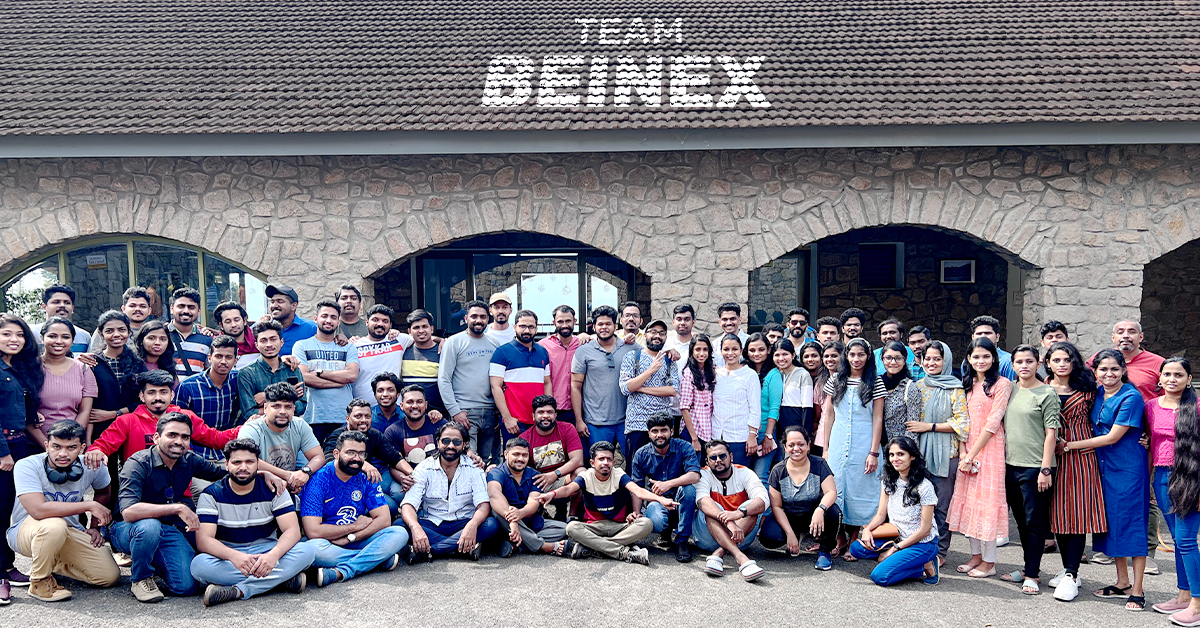
Just Go Wild: Beinex Offsite Visit to Munnar
We all boarded after breakfast from Edapally into the buses waiting as planned. Our journey to Munnar resembled the long-lost college trips, filled with songs, dances and ‘Antaksharis’. Finally, we reached our destination passing vast expanses of tea estates and dewy mountains.
Munnar is an exotic place with a breath-taking landscape and scenic spots. The chilly hill station stole our minds with its exotic flora and fauna. Our team stayed in a luxury resort: Mountain Club. The cottages chosen for us resembled the colonial architecture from the bygone era. The bedrooms were cosy, with a balcony open to the rustic surroundings.
The lunch was a luxurious affair that included starters to desserts. We used the mealtime to get to know more about each other. Then, we all attended the motivation speech by Sibu Varghese which was quite insightful, followed by an interactive session. Then, we interacted with and introduced each other. Personal interaction creates tight bonds and has an integral role in team building. We all broke the ice by sharing our stories and telling jokes. It was fun to get to know each other.
 In the evening, we had a wild-theme based gala party, and all got dressed up in sync with the theme, ‘Just Go Wild’. It was fun to watch everyone from the Manager to the employees dressed up in the same theme. We had an exhilarating DJ party manned by Darryl Gaulbert which made us all shake a leg to the tune. We danced and roared to the music. It was indeed wild!
The following day after breakfast, we met our founder Indumon Das, who had a chat with us regarding the journey of Beinex and his vision. It inspired us all to have a dream and pursue it fearlessly. Some of us accessed the infinity pool late afternoon and had great fun swimming and playing pool ball.
It was a blissful evening based on an ethnic wear theme. We competed for the best ethnic outfit of the evening. The different hues and styles made the evening stunning. Everyone flaunted the traditional wear in style. We had a musical evening with a live barbeque and a sumptuous dinner.
Finally, the day of leaving Munnar dawned; March 19. We all had breakfast in the morning and packed our backpacks. Most of us were pretty reluctant to leave Munnar as we were not ready to lose the bond we created together. Nonetheless, we vowed to stay connected. We boarded the buses around 10 AM and waved goodbye to Munnar.
When we reached Edapally in the evening, a surprise goody bag was waiting. It was an impressive and admirable gesture from our firm. Beinex has a culture of nurturing growth and spreading positivity, and employees’ comfort is the priority here.
In the evening, we had a wild-theme based gala party, and all got dressed up in sync with the theme, ‘Just Go Wild’. It was fun to watch everyone from the Manager to the employees dressed up in the same theme. We had an exhilarating DJ party manned by Darryl Gaulbert which made us all shake a leg to the tune. We danced and roared to the music. It was indeed wild!
The following day after breakfast, we met our founder Indumon Das, who had a chat with us regarding the journey of Beinex and his vision. It inspired us all to have a dream and pursue it fearlessly. Some of us accessed the infinity pool late afternoon and had great fun swimming and playing pool ball.
It was a blissful evening based on an ethnic wear theme. We competed for the best ethnic outfit of the evening. The different hues and styles made the evening stunning. Everyone flaunted the traditional wear in style. We had a musical evening with a live barbeque and a sumptuous dinner.
Finally, the day of leaving Munnar dawned; March 19. We all had breakfast in the morning and packed our backpacks. Most of us were pretty reluctant to leave Munnar as we were not ready to lose the bond we created together. Nonetheless, we vowed to stay connected. We boarded the buses around 10 AM and waved goodbye to Munnar.
When we reached Edapally in the evening, a surprise goody bag was waiting. It was an impressive and admirable gesture from our firm. Beinex has a culture of nurturing growth and spreading positivity, and employees’ comfort is the priority here.
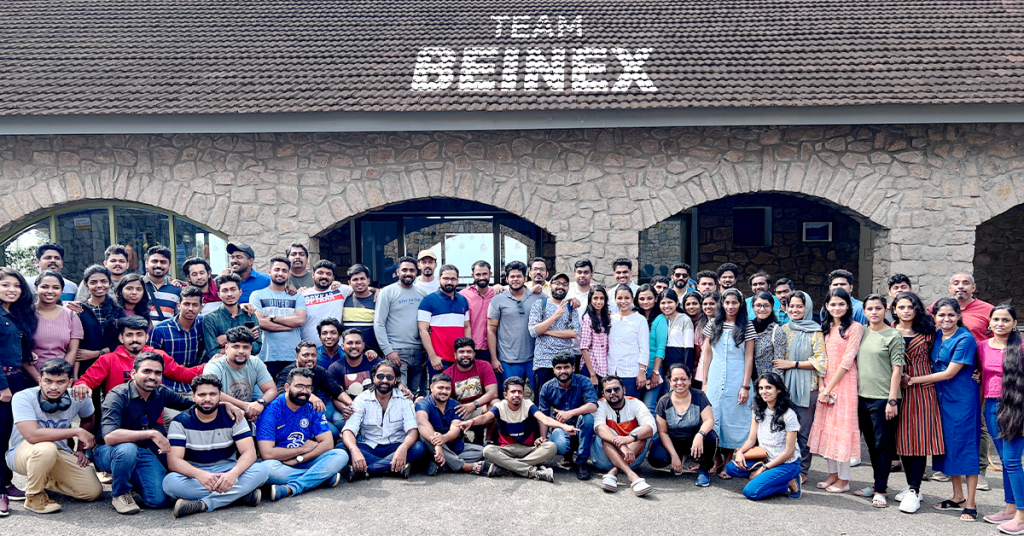 Yes, we had a fantastic time together. After this retreat, our rejuvenated and motivated minds are ready to bounce back to work with enhanced spirit. We are looking forward to more team building sessions in the future to meet each other more often.
In the evening, we had a wild-theme based gala party, and all got dressed up in sync with the theme, ‘Just Go Wild’. It was fun to watch everyone from the Manager to the employees dressed up in the same theme. We had an exhilarating DJ party manned by Darryl Gaulbert which made us all shake a leg to the tune. We danced and roared to the music. It was indeed wild!
The following day after breakfast, we met our founder Indumon Das, who had a chat with us regarding the journey of Beinex and his vision. It inspired us all to have a dream and pursue it fearlessly. Some of us accessed the infinity pool late afternoon and had great fun swimming and playing pool ball.
It was a blissful evening based on an ethnic wear theme. We competed for the best ethnic outfit of the evening. The different hues and styles made the evening stunning. Everyone flaunted the traditional wear in style. We had a musical evening with a live barbeque and a sumptuous dinner.
Finally, the day of leaving Munnar dawned; March 19. We all had breakfast in the morning and packed our backpacks. Most of us were pretty reluctant to leave Munnar as we were not ready to lose the bond we created together. Nonetheless, we vowed to stay connected. We boarded the buses around 10 AM and waved goodbye to Munnar.
When we reached Edapally in the evening, a surprise goody bag was waiting. It was an impressive and admirable gesture from our firm. Beinex has a culture of nurturing growth and spreading positivity, and employees’ comfort is the priority here.
Yes, we had a fantastic time together. After this retreat, our rejuvenated and motivated minds are ready to bounce back to work with enhanced spirit. We are looking forward to more team building sessions in the future to meet each other more often.
No-Code, Low-Cost Data Automation with Alteryx Designer Cloud
User-friendly Experience
The user-friendly interface enables cross-functional collaboration and creates analytical solutions that improve productivity and efficiency. The award-winning drag-and-drop capabilities of the designer cloud speed up the analytic process with AI/ML-based suggestions that guide users through their data transformations.Smart Processing
Alteryx Cloud Designer empowers users to perform responsive data transformations that can be scaled to any size. With smart data samples, you can access the entire dataset and utilize pushdown processing effectively.Enterprise-grade Platform
A flexible and scalable enterprise-grade platform can help teams as it integrates effortlessly into the existing data and analytics architecture with best-in-class security and governance.Built-in Connectors
Easily connect and transform your data from various sources with built-in connectivity to over 60 sources. This feature is designed for enterprise-grade governance, scalability, and security.All-access Reporting
The new Reporting feature for Designer Cloud offers a drag-and-drop report preview canvas, allowing you to configure report elements and build reports more quickly in the cloud.A Unified Platform
An end-to-end unified analytics platform can be fundamental in building an analytics culture, allowing every user to convert data into business insights with the help of cloud-native data engineering, analytics, and data science.Accessibility
Alteryx cloud designers can easily access and analyze data even by non-technical users without depending on IT or analytics, democratizing data across your organization.Real-time Update
You can make changes to your data in real time using the new Interactive Results Grid, which lets you see and make as you build your workflows and the quality of any dataset using a quality bar and visual data profiling.Private Data Handling
Alteryx Cloud provides customers greater flexibility in the management and storage of their data. The new split-plane solution enables private storage and processing options.Cloud Data Preparation for the Modern Enterprise
Alteryx Designer Cloud allows organizations to streamline their data operations and gain insights more rapidly. Reduce data preparation timelines from hours to minutes while ensuring data quality, accuracy, and governance.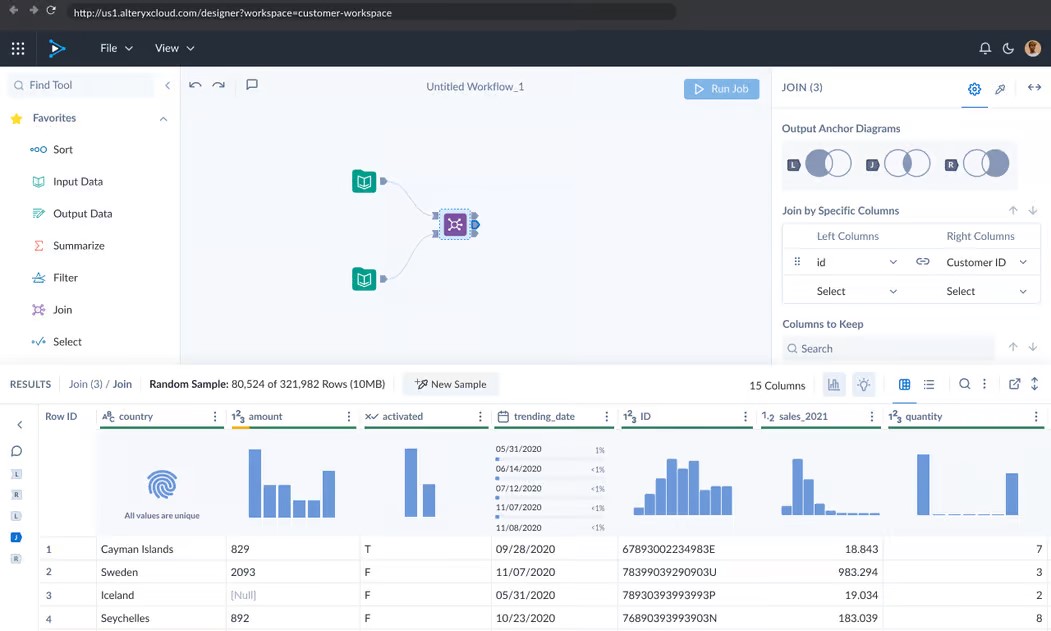
Cleanse, Prepare, and Blend Data Effortlessly
Make data preparation simple for everyone. Designer Cloud enables users to quickly cleanse, profile, prepare, blend, and analyze data without coding knowledge. With user-friendly drag-and-drop tools, individuals can efficiently execute data transformations. To enhance the efficiency of data preparation, AI and machine learning-based suggestions guide users throughout the process. Empower everyone in your organization to make data-driven decisions and achieve insights up to 90% faster.Collaborate in Real Time with Interactive Data Samples
Leverage the collective intelligence of your teams with collaborative workflows that can be easily shared across your organization. Teams can work together in real time, observing and iterating on workflow changes as they happen. Alteryx Designer clouds automatically document each step of the workflow process, ensuring transparency. Users can also leave notes and annotations within workflows. Interactive workflows make this possible while pulling a subset of data, allowing teams to develop without pulling the entire dataset, thereby saving time and resources.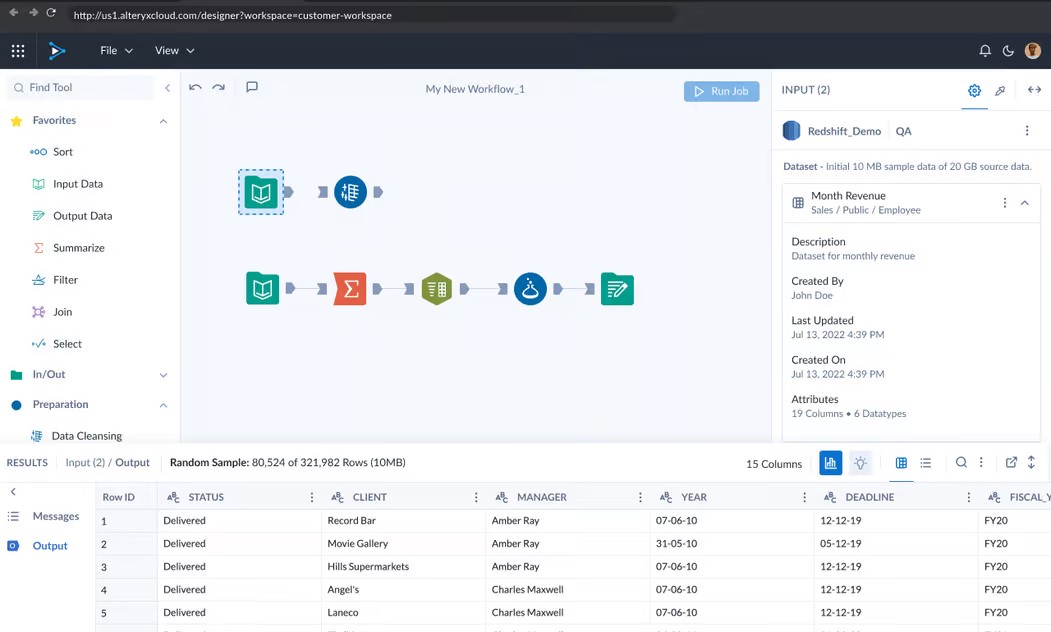 Source: https://www.alteryx.com/products/designer-cloud
Satisfy the Needs of the Enterprise
Designer Cloud is built for the world’s most demanding modern enterprises. Alteryx empowers hundreds of well-known brands across all industries to enable analytics across their organizations with robust security, governance, and scalability. Plus, you can deploy in the cloud environment of your choice, with support for AWS, GCP, Snowflake, and more. With pushdown processing and built-in connectivity to over 60 data sources, you can easily scale your data operations and transform your data from anywhere. No more installations, permissions, machine limitations, or hassle.Alteryx + Beinex Partnership
Being the premier partner of Alteryx, Beinex demonstrates excellence in delivering end-to-end analytics transformation services that revolutionized multiple industries in the Middle East. Experience Alteryx now: Free Alteryx trial
Downturn or Not: Investments in Digital Transformation Should Continue
The world expects a financial meltdown soon, and everyone has rolled up their sleeves to face it. Recession impacts are like separating rice from its husk; it differentiates winners from losers. Even if it is going to be a rocky year, companies should take it as a wake-up call to adopt new strategies and invest in digitalisation to move ahead.
During the pandemic, digitally advanced companies won a massive market share compared to those lagging in adopting digital transformation. They managed their supply chain and managed to sell through online platforms. It shows that the winners were better equipped, and they invested in facing the future. The pandemic revealed to us a guideline on how to be prepared and how we should respond.
The 2023 Gartner CIO and Technology Executive Survey reports that EMEA CIO business priorities for the remainder of 2022 and next year are growth and digital transformation, with the top areas of increased spending in 2023 including cyber and information security (70%), business intelligence and data analytics (53%), and cloud platforms (48%). Approximately 34% are increasing investment in artificial intelligence (AI) and 24% in hyper-automation as well. https://www.cio.com/article/411566/
How does digital transformation aid during an economic meltdown?
Risks are a common scenario for all kinds of businesses, and minimising risks equals future-proofing your organisation from a significant fall. But how? Through digital transformation, companies enhance consumer experiences, expand digital products, and build brand equity. Companies’ technologies ready bounded on their digital journey by investing in robotic process automation or cloud-based information management technology is sure to reap benefits. Digital initiatives can help to:
- • Manage interactions with clients, projects, and engagements.
- • Cut down on labour-intensive tasks through automation
- • Automate client or customer services
- • To make faster decisions and increase operational efficiency
- • Create a stronghold for information security
- • Develop new products and services
- • Generate a competitive advantage
Major Goals of Digital Transformation
Enhancing Operational EfficiencyProduction, marketing, finance, accounting, and other processes are becoming more streamlined and trustworthy because of digital transformation. Digital marketing is becoming considerably more effective due to modern business technologies that enable it to get, analyse, and change crucial data for marketing and other uses.
Faster Decision MakingMost of the time, companies benefit from big data by placing data analysis methodologies at the core of their digital transformation strategy. To make the most of it, this data can be exploited by robust tools and turned into crucial business information. For targeted marketing campaigns and SEO plans, these outcomes can be utilised. With the help of a fully integrated digital transformation making decisions are simple.
Enabling Business TransparencyA company's potential to streamline business operations depends on effective transparency management. Since firms now use new communication channels to create transparency between higher authorities and employees, they can better disrupt the conventional working structure owing to digital transformation. Companies need digital platforms to assign responsibilities and assist them in running businesses. Examples of digital breakthroughs that help with effectively managing corporate transparency include analysed data, forecasting models, and online customer support services.
Driving Digital Transformation Amidst the Upcoming DownturnCIOs can adopt three effective tactics to move forward with digital initiatives: empowering the workforce, ensuring financial and sustainable growth, and by implementing a robust cybersecurity system.
Empowering the WorkforceRepetitive and time-consuming tasks can be automated to create a more engaged employee group. Tools and technologies using AI can unburden employees, increasing their productivity and capability. Companies can experiment by incorporating online and onsite working modes to stay ahead of the pack.IT and HR can go hand in hand together to provide an elevated employee experience, resulting in a high employee retention level.
Adopting Intelligent Connected InfrastructureAI, IoT, the cloud, analytics, and edge computing are all blended by Intelligent Connected Infrastructure (ICI) to share data among infrastructures, such as bridges, highways, and ports. Investing in ICI will boost commercial and societal progress while enhancing citizens’ quality of life. Implementing an Energy Management and Optimisation System (EMOS) to reduce energy usage can help to face future challenges and convert that into revenue sources. The strategy of blending finance and sustainability helps to win over customers, employees and investors.
Implementing a Robust Cybersecurity SystemCybersecurity is a rising concern for all enterprises, and not investing in it can invite risks. Developing threat intelligence platforms to prioritise and address cyber security threats is a measure to keep away from vulnerabilities. Continuous monitoring and comparing protection levels with other companies reduces the threat rates.
Summing UpThe future is unpredictable, and so are the risks, but businesses should be well-prepared to face it by taking strategic initiatives for technological developments. Past experiences proved that investments in technology wouldn’t go astray and can reap profits even at times of uncertainty. Recent research advises CIOs should not shy away from changes and be prepared with a roadmap to face macroeconomic uncertainty with digitalisation.
Beinex OfferingsBeinex Digital, a part of Beinex Holdings, is a digital transformation entity with a comprehensive suite of independent products focused on addressing specific business gaps, use cases, and needs. It incorporates a spectrum of solutions related to employee health and safety, enterprise product management, performance management, and audit & risk management.
To know more about us: https://beinex.com/beinex-digital/

Best Cloud Data Management Tools Fit for Businesses of All Sizes
What is Cloud Data Management?
Cloud data management refers to the framework that allows businesses to store, manage, and access their data using cloud-based services and applications. It encompasses the entire data lifecycle, from collection and storage to processing and analysis, while ensuring that data remains secure and compliant with regulatory standards. The flexibility of cloud data management allows organizations to scale up or down based on their needs and optimize data operations, which in turn leads to better decision-making and actionable business insights.
The Importance and Benefits of Cloud Data Management
Cloud data management has become a necessity in the data-centric world. Organizations are immersed with vast amounts of data, which must be efficiently stored, processed, and analyzed. Here are the key benefits:
- Scalability and Flexibility: One of the biggest advantages of cloud data management is its ability to scale as needed. Traditional data management systems often require substantial infrastructure investment, but cloud solutions allow businesses to pay only for the resources they use, making it cost-effective.
- Enhanced Data Security: With stricter regulations on data privacy (such as GDPR and HIPAA), cloud data management ensures that data is securely stored and compliant with global standards. Cloud service providers offer tools to protect data from unauthorized access and breaches.
- Improved Collaboration and Accessibility: Cloud data management allows users to access data from anywhere at any time, enabling remote work and collaboration across geographically dispersed teams.
- Disaster Recovery and Business Continuity: Cloud-based data management systems offer advanced disaster recovery options. By replicating data across multiple locations, organizations can ensure that their data is safe and accessible, even in the event of hardware failure or a catastrophe.
Cloud Data Management vs. Traditional Data Management
In contrast to traditional on-premises data management (TDM), cloud data management (CDM) provides enhanced flexibility and scalability. Traditional data management systems require a significant upfront investment in physical servers, storage, and IT staff, whereas CDM enables rapid scaling with minimal financial and physical overhead.
CDM also offers superior disaster recovery by distributing data across multiple locations, a benefit that is difficult to achieve with TDM’s centralized approach. Furthermore, CDM allows team members to access data remotely, enhancing collaboration—something that traditional systems often struggle to provide.
A Hybrid Approach to Data Management
For businesses looking to maintain control over sensitive data while leveraging cloud-based tools, a hybrid approach to data management combines the strengths of both cloud and traditional systems. A hybrid model allows organizations to store sensitive data on-premise while utilizing cloud resources for dynamic, less sensitive data. This approach offers scalability, cost-efficiency, and disaster recovery while keeping critical data secure and compliant with industry regulations.
Top Cloud Data Management Tools
Several leading cloud data management tools dominate the market, offering comprehensive solutions for businesses with various data needs. Here are the top three tools:
1. Amazon Web Services (AWS)
Amazon Web Services offers an extensive range of cloud-based tools and services that allow businesses to manage their data effectively. Notable AWS services include:
• Amazon S3: A scalable storage service designed for temporary and intermediate data storage.
• Amazon S3 Glacier: A low-cost cloud storage service ideal for long-term data archiving.
• Amazon Redshift: A fully managed data warehouse that makes analyzing large datasets using SQL simple.
• Amazon Athena: An interactive query service that allows users to analyze data in Amazon S3 using SQL.
• Amazon QuickSight: A scalable, serverless business intelligence service for building interactive dashboards.
AWS Pricing: AWS follows a pay-as-you-go pricing model, making it highly flexible for businesses of all sizes.
2. Microsoft Azure
Microsoft Azure provides a wide range of cloud-based tools for data management, making it a popular choice for enterprises. Key Azure services include:
• Azure Blob Storage: A massively scalable object storage solution for unstructured data.
• SQL Databases: Managed SQL database services that simplify data management without the need for complex infrastructure.
• Azure Data Explorer: A real-time data analytics service that can handle large datasets with minimal preprocessing.
• Private Cloud Deployments: For businesses looking for more control over their infrastructure.
Azure Pricing: Like AWS, Microsoft Azure also offers flexible pricing based on the services and resources used.
3. Google Cloud Platform (GCP)
Google Cloud Platform offers a range of cloud-based data management services, known for their strong integration with Google’s ecosystem and ease of use. Prominent services include:
• Google Cloud Storage: A fully managed service for storing unstructured data.
• Google BigQuery: A fully managed data warehouse that allows users to run SQL queries on large datasets.
• Cloud BigTable: A NoSQL database service designed for large-scale workloads.
• Google Data Studio: A business intelligence platform for building intuitive dashboards and visualizing data.
• Cloud Datalab: A powerful tool for machine learning and data science projects.
• Cloud Pub/Sub: A messaging service designed for real-time data ingestion and processing.
GCP Pricing: Google Cloud Platform offers competitive pricing with a flexible pay-as-you-go model that caters to various business needs.
Conclusion
Cloud data management is essential for modern businesses looking to stay competitive in the digital era. By offering scalability, enhanced security, improved collaboration, and disaster recovery, cloud data management tools like AWS, Microsoft Azure, and Google Cloud Platform provide a comprehensive solution to managing data efficiently and effectively. As data grows in volume and complexity, leveraging these tools will be key to driving innovation and maintaining a competitive edge.
A DEEP DIVE INTO TABLEAU 2019.3
TABLEAU CATALOG
What could be better than a feature that could provide better visibility and better data management at the same time, and also ensure that the right data is always used for analysis. This is possible with the new feature -Tableau Catalog.
 This feature provides a complete picture of the data and how each data is connected.
Another use of Tableau Catalog is linear and impact analysis. This not only shows which assets will change but also who will be affected by it, which makes work easier for many and avoids wastage of time.
EXPLAIN DATA
Tableau 2019.3 is up with a new Al-driven feature called the “Explain Data”, which helps people go from the “what” of the data to the “how” of it. With explain data, we can get an explanation for each unexpected value in the data by just a single click. On selecting the desired data point, the ‘explain data’(lightbulb) icon appears.
For each value there might be a number of explanations. Each of these explanations are checked and only the most likely ones are provided as visualizations.
This feature provides a complete picture of the data and how each data is connected.
Another use of Tableau Catalog is linear and impact analysis. This not only shows which assets will change but also who will be affected by it, which makes work easier for many and avoids wastage of time.
EXPLAIN DATA
Tableau 2019.3 is up with a new Al-driven feature called the “Explain Data”, which helps people go from the “what” of the data to the “how” of it. With explain data, we can get an explanation for each unexpected value in the data by just a single click. On selecting the desired data point, the ‘explain data’(lightbulb) icon appears.
For each value there might be a number of explanations. Each of these explanations are checked and only the most likely ones are provided as visualizations.
 Now these visualizations can be used for further explorations.
TABLEAU SERVER MANAGEMENT ADD-ON
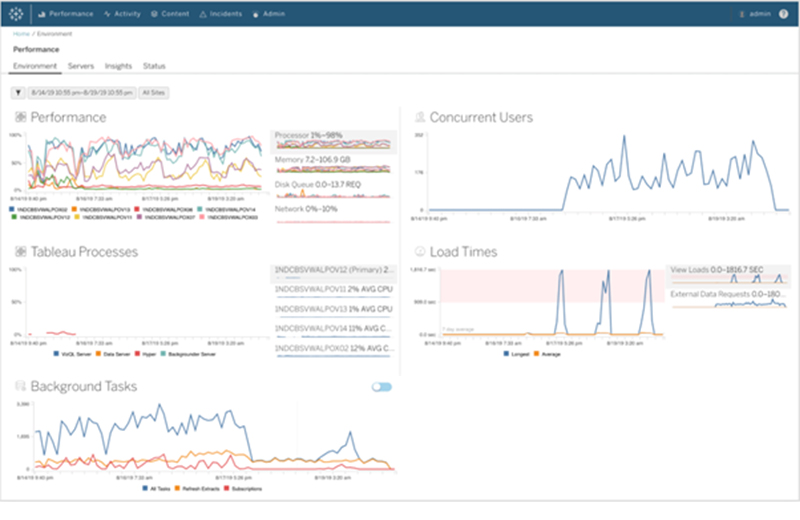
Organizations that run critical deployment of Tableau Server at a large scale, have mentioned concerns over manageability and scalability. They have been in search for tools that could organize the management process in an efficient way, which could save a lot of time. Tableau solved this problem by introducing the Tableau Server Management Add-on – a new feature designed to help organizations manage the deployment of Tableau Server. With this, they can quickly react to the changing needs of the business as well as save time by organizing the management process in the most efficient way. Tableau Server Management Add-on, which makes running the critical deployment of tableau at a large-scale server much simpler.
Now these visualizations can be used for further explorations.
TABLEAU SERVER MANAGEMENT ADD-ON
Organizations that run critical deployment of Tableau Server at a large scale, have mentioned concerns over manageability and scalability. They have been in search for tools that could organize the management process in an efficient way, which could save a lot of time. Tableau solved this problem by introducing the Tableau Server Management Add-on – a new feature designed to help organizations manage the deployment of Tableau Server. With this, they can quickly react to the changing needs of the business as well as save time by organizing the management process in the most efficient way. Tableau Server Management Add-on, which makes running the critical deployment of tableau at a large-scale server much simpler.
 The server management add-on feature can help in optimising the performance of deployment by customizing which nodes process background jobs such as extract refreshes and subscriptions and isolating these workloads, to specific nodes. This makes it easier to scale deployments to the needs of their organization.
This feature has a few tools, including two for better reliability and scalability and one for content migration, all of which helps the organizations to govern their data effectively.
If you are interested in learning more about the latest Tableau release and use cases, please contact us at training@beinex.com/ info@beinex.com and we would be happy to schedule a Tableau demo or training for you and your company.
The server management add-on feature can help in optimising the performance of deployment by customizing which nodes process background jobs such as extract refreshes and subscriptions and isolating these workloads, to specific nodes. This makes it easier to scale deployments to the needs of their organization.
This feature has a few tools, including two for better reliability and scalability and one for content migration, all of which helps the organizations to govern their data effectively.
If you are interested in learning more about the latest Tableau release and use cases, please contact us at training@beinex.com/ info@beinex.com and we would be happy to schedule a Tableau demo or training for you and your company.
This feature provides a complete picture of the data and how each data is connected.
Another use of Tableau Catalog is linear and impact analysis. This not only shows which assets will change but also who will be affected by it, which makes work easier for many and avoids wastage of time.
EXPLAIN DATA
Tableau 2019.3 is up with a new Al-driven feature called the “Explain Data”, which helps people go from the “what” of the data to the “how” of it. With explain data, we can get an explanation for each unexpected value in the data by just a single click. On selecting the desired data point, the ‘explain data’(lightbulb) icon appears.
For each value there might be a number of explanations. Each of these explanations are checked and only the most likely ones are provided as visualizations.
Now these visualizations can be used for further explorations.
TABLEAU SERVER MANAGEMENT ADD-ON
Organizations that run critical deployment of Tableau Server at a large scale, have mentioned concerns over manageability and scalability. They have been in search for tools that could organize the management process in an efficient way, which could save a lot of time. Tableau solved this problem by introducing the Tableau Server Management Add-on – a new feature designed to help organizations manage the deployment of Tableau Server. With this, they can quickly react to the changing needs of the business as well as save time by organizing the management process in the most efficient way. Tableau Server Management Add-on, which makes running the critical deployment of tableau at a large-scale server much simpler.
The server management add-on feature can help in optimising the performance of deployment by customizing which nodes process background jobs such as extract refreshes and subscriptions and isolating these workloads, to specific nodes. This makes it easier to scale deployments to the needs of their organization.
This feature has a few tools, including two for better reliability and scalability and one for content migration, all of which helps the organizations to govern their data effectively.
If you are interested in learning more about the latest Tableau release and use cases, please contact us at training@beinex.com/ info@beinex.com and we would be happy to schedule a Tableau demo or training for you and your company.
Note: The Server Management Add-on is not available for Tableau Online, as they manage everything from scaling, performance, and security on behalf of their Tableau Online customers. The Tableau Server Management Add-on can be separately purchased from the Tableau Server deployment.