How AI Decision-Making is Improving Enterprise Outcomes
Blog
Share 
Governing Agentic AI: How Organizations Can Balance Autonomy, Risk, and Accountability
 25 May 2026
  Subbayya
 Agentic AI is redirecting AI to autonomous systems that can plan, decide, and execute tasks independently. These AI agents can manage workflows, interact with software systems, and trigger actions without continuous human input. While this autonomy promises efficiency and scalability, it also introduces new governance challenges.
Research shows that 86% of enterprises expect higher risk levels with agentic AI, yet only 2% of organizations currently meet responsible AI standards. This gap highlights a critical reality: organizations must adopt a structured agentic AI governance framework to balance autonomy with accountability.
What Is Agentic AI Governance?
Agentic AI governance refers to the policies, controls, and monitoring systems that ensure autonomous AI agents operate safely, transparently, and within defined limits.
Unlike traditional AI models that generate outputs for humans to review, agentic AI can initiate multi-step actions across systems, interact with other agents, and autonomously update data or processes.
As these agents operate at machine speed, governance frameworks must address the following key pillars of agentic AI governance:
- Autonomy boundaries: Define what agents are allowed to do
- Risk management: Detect security, compliance, and ethical risks
- Accountability mechanisms: Track decisions and ownership
Without these controls, organizations risk deploying powerful automation without oversight.
Key Risks of Autonomous AI Systems
As organizations adopt agentic AI, three governance risks are emerging consistently across enterprise deployments.
1. Operational and Decision-Making Risks
Autonomous AI agents can make decisions that trigger real-world actions. If poorly governed, these systems may generate incorrect or harmful outcomes.
Recent studies show that 95% of enterprises experienced AI-related incidents, underscoring the role of governance gaps in operational failures.
2. Security and Data Governance Risks
Agentic AI interacts directly with enterprise tools, databases, and APIs. This expands the attack surface for cybersecurity threats such as data leakage or unauthorized actions.
Reports indicate that over 80% of organizations using AI have faced data leaks or unauthorized AI actions, largely due to weak oversight and fragmented controls.
3. Accountability and Compliance Challenges
Autonomous systems complicate regulatory accountability. If an AI agent triggers a financial transaction, modifies records, or produces biased decisions, organizations must determine who is responsible.
Without clear traceability and governance frameworks, compliance and audit processes become difficult.
Governance Best Practices for Agentic AI
To deploy agentic AI responsibly, organizations are increasingly focusing on best practices for agentic AI governance, ensuring transparency and accountability.
1: Establish Clear Autonomy Boundaries
Organizations should define the scope of actions an AI agent can perform. This includes:
- Role-based permissions
- Access controls for enterprise systems
- Limits on automated decision-making
These boundaries prevent agents from operating outside their intended functions.
2: Implement Human-in-the-Loop Oversight
Human oversight remains critical, especially for high-risk decisions. Escalation mechanisms should ensure that AI agents defer to human review when certain thresholds are reached.
3: Enable Explainability and Decision Traceability
Governance systems must capture the reasoning, data sources, and actions behind AI decisions. Transparent decision trails help organizations audit outcomes and maintain regulatory compliance.
4: Monitor AI Behavior Continuously
Agentic systems evolve during operation. Continuous monitoring helps detect anomalies, model drift, and unintended behavior before they escalate into larger issues.
The Future of Responsible Agentic AI
Agentic AI will increasingly power enterprise workflows, customer operations, and business decision-making. Some forecasts suggest that autonomous agents could handle 15% of daily business decisions by 2028.
However, autonomy without governance creates systemic risk. Organizations that invest early in a robust agentic AI governance framework will be better positioned to scale automation safely and maintain stakeholder trust.
In the long run, successful adoption of agentic AI will depend not only on technological capability but also on how effectively organizations balance autonomy with governance, transparency, and accountability.
Related Articles
Let the force be with you: Data residency and Hyperforce
After two very long masked years, the world has slowly started to breathe, again!
With lockdowns on and work taking place from the very room you had slept a couple of hours back -- the human universe has been phenomenally re-engineered by a microscopic organism.
Your geographical location has been made immaterial in the digital world. But the same cannot be said about data, and this may sound paradoxical and ironic. For instance, an MNC’s location of the data now matters more than ever before. With a major chunk of data of many entities, especially government ones, on the public cloud, the airing of concerns related to data security, data sovereignty, data localisation/ data residency is growing louder in decibel terms.
This is where Hyperforce comes in.
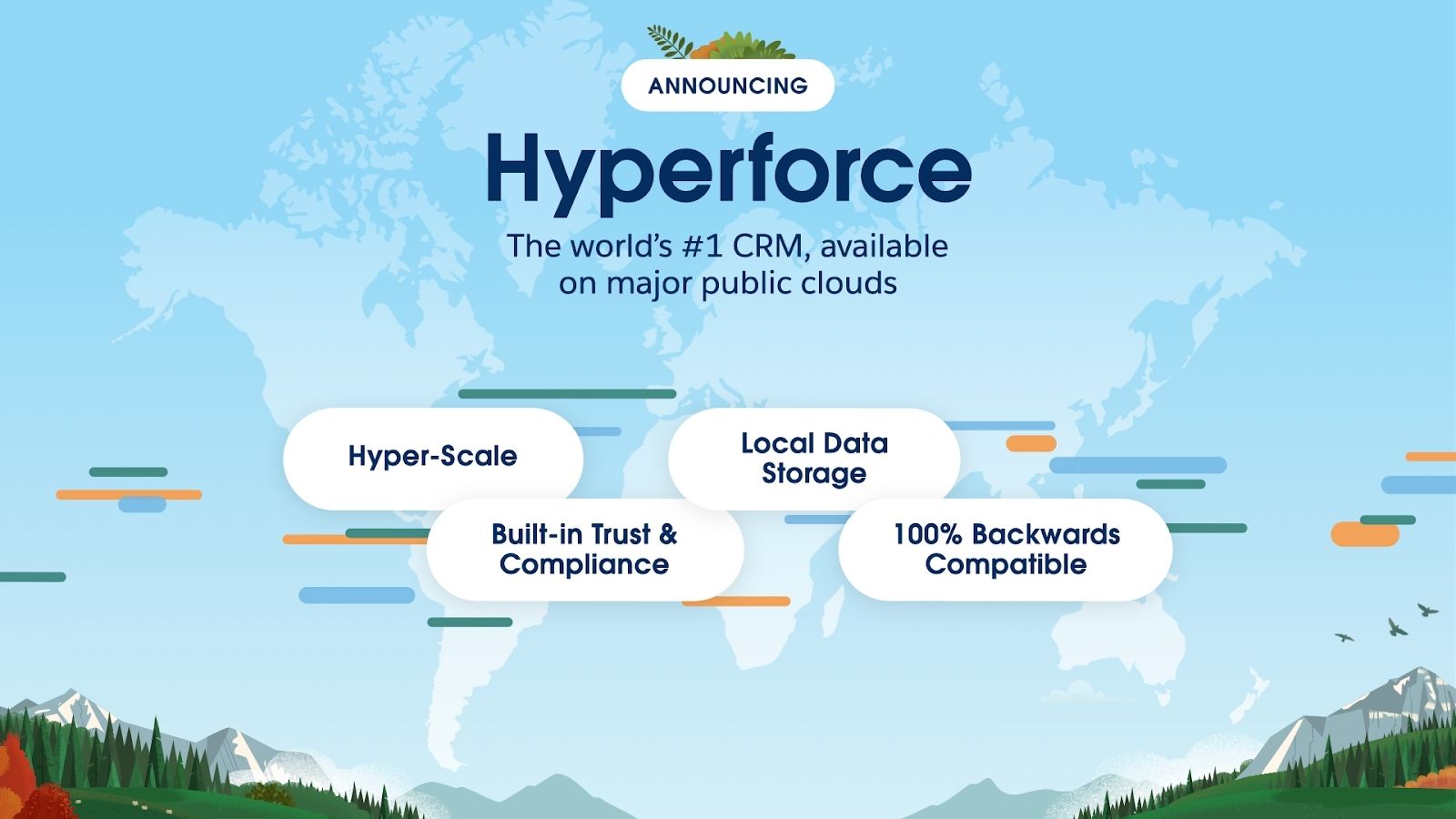
Hyperforce is how Salesforce has reimagined its platform. It is now horizontally scalable, and through tie-ups with major cloud providers, the scalability has grown by leaps and bounds. Imagine you are a B2B company with 10,000 customers or a B2C company with tens of millions of customers: Hyperforce lets you scale up your capabilities and provides you with a single source of truth. But what if you are a multi-geographic business conglomerate in a heavily regulated industry like finance or health? How will you comply with data sovereignty, data localisation/ data residency requirements? Hyperforce’s collaboration with public cloud companies ensures that the data can be located at any specified place in the world, adhering to the local rules of data governance and storage locations. “Choose the location where your data will be stored to comply with regulations specific to your company, region, or industry — even in highly regulated industries like the public sector,” the store-data-locally-keep-it-compliant-globally mantra tells. Other features Hyperscalable: Hyperforce also enables you to scale the infrastructure as per the needs of the business by letting you access extra computing capacity as and when required. You can employ resources in the public cloud rather quickly. Yes, it is your decision whether to scale up or not, and the elasticity can be dictated by the nature of your requirements. Hypersecure: Also, trust is built-in, which puts security at the forefront of the architecture. Data privacy and security are sacrosanct. This leaves you with enough room to focus on innovation. Hypercompatible: And most important of all, backward compatibility ensures that all the extant Salesforce apps, customisations and integrations will continue to work on Hyperforce regardless of cloud. In the physical world, your geographical location assumes importance. But in the digital world, it is the location of the data that matters. Hyperforce, by virtue of its collaboration with major players in the cloud domain, ensures data residency requirements are adhered to when and where needed. The architecture is hyper-scalable, secure, and comes with backward compatibility. Hyperforce is soon to be launched in the UAE, and Beinex, a Salesforce partner, is all set to carry out implementation and consulting of and for Hyperforce.
Syntax Migrator: The Magic Carpet to Ease Snowflake Migration
Let’s introduce one such tool.
Beinex has a set of tools to automate the migration testing process, and the devices can also process syntax changes between the legacy database and Snowflake. Well, Syntax Migrator is one tool developed by our experts that follows a structured methodology that helps minimise migration risks. It is an error-free, timesaving, automated migratory tool that converts SQL syntax into Snowflake queries.
How does it work?

With the help of a user-friendly tool like Syntax Migrator, we can quickly convert SQL syntax into Snowflake queries by entering the SQL syntax in the console and then pressing the convert button. It is handy, and even persons with no technical expertise can easily use it.
Syntax Migration Platform can aid in:
- Automatically translating DDL and DML
- Selection of best possible data type
- Intelligent usage of Temp and Transient Tables
Automatically translate DDL and DML.
- Creation of different tables views, and procedures can be quickly changed into Snowflake-compatible queries without any help from Snowflake syntax.
- No matter how the complex procedure is, it converts the syntax to Snowflake and maintains the logic and structure of the procedure.
Selection of the best possible data type
- Syntax migrator selects the best data type available in Snowflake concerning the source data source even if the datatype is disparate.
- No need to worry about any mismatch in the data while converting to the compatible datatype. All the data properties will be preserved during conversion.
Intelligent usage of Temp and Transient Tables:
Query logic and syntax will be preserved in the migration, which results in the expected results same as of the source systemAbout Snowflake
The cloud data platform from Snowflake enables a variety of data workloads, including data warehousing and data lakes, as well as data engineering, data science, and data application development across numerous cloud providers and geographies from any location inside the company.
Due to Snowflake's distinctive architecture, almost any concurrent user in the Data Cloud can benefit from near-infinite storage and real-time processing.
The Many Benefits of Migrating to Snowflake Data Cloud
Even though migrating from an on-premises solution to a cloud can be a tedious process, with Snowflake Data Cloud, it is not laborious, and it can reap benefits like the following:
- Infinite elasticity
- Highly concurrent
- Exponential cost saving
- Superior data security
- Modern data cloud platform with your data
- Reduced maintenance overhead
- Continue to use on-premises transactional platforms
- Move to pay for what you use instead of heavy AMCs
- Conversion of queries into a best Snowflake-compatible format

Strengthening Cloud Security: Exploring New Capabilities in AWS Security
AWS Network Firewall Expansion
AWS Network Firewall, a managed firewall service, now expands its availability to four additional AWS Regions. This expansion ensures that organisations worldwide can benefit from the advanced network protection it provides. With AWS Network Firewall, users can effortlessly enforce network security rules and gain granular control over traffic flow. This enhanced capability fortifies the first line of defence, safeguarding against potential threats and attacks.
Enhanced Management with AWS Security Hub and AWS CloudFormation
AWS Security Hub announces a significant improvement in management capabilities by integrating with AWS CloudFormation. This powerful integration simplifies managing security and compliance resources across the AWS infrastructure. Now, organisations can automate the deployment and configuration of security standards using Infrastructure as Code (IaC) principles, ensuring consistent and secure cloud environments across their operations.
AWS Control Tower Integration
The general availability of AWS Control Tower's integration with Security Hub marks a crucial milestone in maintaining control and compliance over AWS accounts. AWS Control Tower streamlines setting up a well-architected and compliant multi-account environment. With Security Hub integration, administrators gain enhanced visibility and control over security findings, enabling enforcement of centralised governance and security best practices.
You can now activate more than 170 Security Hub detective controls, aligning them with corresponding control objectives from AWS Control Tower. Notably, AWS Control Tower can now detect when a control is disabled in Security Hub, indicating a 'Drifted' control state. This new drift detection capability simplifies the monitoring of control deployment status, enabling you to promptly manage the security posture of your AWS Control Tower environment by taking necessary actions.
Amazon Inspector Code Scans for AWS Lambda Function
Ensuring secure serverless applications are now more accessible with the general availability of Code Scans for AWS Lambda functions. Amazon Inspector Console, a robust security assessment service, now offers code-level security assessments for Lambda functions, identifying vulnerabilities and potential security risks. This capability empowers developers to take proactive measures to strengthen the security posture of their serverless applications.
Amazon Verified Permissions
With the introduction of Amazon Verified Permissions, AWS simplifies the permissions management process for cloud resources. Organisations can streamline security audits and compliance checks, saving time and effort. This capability provides an extra layer of confidence, ensuring that only authorised users can access and modify critical resources.
Utilise your current identity provider, responsible for managing users and groups, to effectively manage application permissions and control access. With this integrated authentication and authorisation solution, applications utilising Amazon Cognito now benefit from seamless policy validation based on attributes in Amazon Cognito while also being able to authorise requests using Amazon Cognito tokens.
AWS Security Hub Automation Rules
AWS Security Hub Automation Rules introduce a game-changing capability for proactive incident response. Users can now define automated actions responding to security events, enabling faster and more efficient incident resolution. This empowers organisations to respond swiftly to potential security threats and minimise the impact of security incidents.
AWS Global Partner Security Initiative
Security is a shared responsibility, and AWS takes a collaborative approach to empower its users and partners in fortifying their cloud security. The AWS Global Partner Security Initiative provides valuable insights, resources, and tools to help partners enhance their security offerings and better protect their customers' data. This initiative fosters a more robust security ecosystem and builds trust among AWS users worldwide.
AWS continues to demonstrate its commitment to cloud security with these latest capabilities. As organisations navigate an ever-changing threat landscape, the robustness of AWS security offerings ensures that cloud environments remain fortified and data remains secure. By leveraging these new features and capabilities, users can confidently embrace the cloud's potential without compromising security.
Beinex Offering
Beinex is an AWS consulting partner, and we empower customers to host their BI solutions and much more on the cloud. Our cloud migration experts bring in best-in-class stability and reliability by understanding your business strategy and working closely with you to deploy AWS infrastructure as a service.

Amazon S3 Case Study with Solutions: How Amazon S3 Glacier Instant Retrieval Transformed the BBC’s Archival Strategy
AWS BBC Case Study: Challenges Faced by BBC
The BBC Archives Technology and Services division is responsible for preserving over 16 million assets, including films, radio broadcasts, news, sports, and digital material. However, managing this vast repository came with significant challenges: • Fragmentation: Content was dispersed across multiple legacy storage systems, making data retrieval complex and inefficient. • High Costs: Maintaining outdated physical infrastructure demanded heavy financial and resource investments. • Limited Accessibility: Lack of a centralized system led to time-consuming content retrieval processes. Many global enterprises face similar struggles in balancing data accessibility with cost efficiency. To address these challenges, the BBC implemented a five-year plan to consolidate its storage using modern cloud technologies.
Key Benefits of Amazon S3 Glacier Instant Retrieval
Building on years of successful collaboration with Amazon Web Services (AWS), the BBC adopted Amazon S3 Glacier Instant Retrieval to modernize its archival strategy. Key benefits of Amazon S3 solution include: • Cost-effectiveness: Amazon S3 Glacier Instant Retrieval offers some of the lowest-cost storage for petabytes of archival data. • Instant Access: Unlike traditional archival storage, this AWS solution provides rapid retrieval speeds, making it ideal for time-sensitive content. • Scalability: AWS’s robust cloud infrastructure ensures seamless expansion as data volumes grow, future-proofing the BBC’s archives. This transition solved immediate storage challenges and laid the groundwork for a scalable, digitized archive that will serve future generations.
The Migration Journey: 25 PB in 10 Months
Over a span of 10 months, the BBC successfully migrated 25 petabytes (PB) of archival data to AWS. Legacy System Retirement: Enabled decommissioning legacy tape-based storage, freeing up space and IT resources at its London HQ. Enhanced Cost Efficiency: Reduced operational costs by integrating Amazon S3 Glacier Instant Retrieval and Amazon S3 Intelligent-Tiering. Optimized Storage Management: Automated data tiering based on access patterns to balance cost and performance. Improved Data Accessibility: Ensured seamless access to historical media archives for future content innovation.
Building a Future-Ready Data Lake
The BBC’s cloud migration is not just about cost savings and accessibility—it’s about innovation. With its archival content securely stored on AWS, the broadcaster now focuses on developing a comprehensive data lake. This centralized repository will power advanced analytics and machine learning (ML) applications, unlocking new capabilities such as: • Speech-to-text processing for historical broadcasts • Facial recognition for identifying individuals in archival footage • Automated metadata tagging to enhance searchability and categorization By embracing Amazon S3 Glacier Instant Retrieval, the BBC is building an infrastructure that will preserve its media legacy and revolutionize how historical content is accessed and utilized in the digital age.
Amazon S3 Case Study Examples: Lessons for Organizations Everywhere
The BBC’s experience provides a valuable blueprint for organizations looking to modernize their data management strategies. Key takeaways of this BBC Amazon S3 Case Study include: • Modernization is Essential: Cloud-based solutions like Amazon S3 Glacier Instant Retrieval significantly reduce operating costs and enhance data accessibility. • Scalability Matters: AWS storage solutions offer seamless expansion, ensuring long-term sustainability. • Future-Proofing Archives: A centralized data lake paves the way for leveraging machine learning, AI, and advanced analytics, unlocking new insights from historical data. Adopting AWS archive storage solutions can benefit organizations across industries, including media, government, and education, by ensuring efficient, cost-effective, and future-ready data management.
Summing Up
The BBC’s successful migration of 100 years of archival content to Amazon S3 Glacier Instant Retrieval is a testament to the transformative power of cloud-based archival storage. By overcoming high costs, fragmented data storage, and limited accessibility, the BBC has preserved its invaluable media heritage and set a new industry standard for digital archiving.

Benefits of Advanced Analytics: From its Impact on Company Culture to Business Financials
Advanced Analytics aids in the resolution of complicated business challenges, as well as the improvement of operational efficiency, investment decisions, and customer experiences. It goes one step ahead of business intelligence by employing sophisticated modelling approaches to forecast future occurrences and find trends/patterns that would otherwise go undetected. Let’s get into the benefits of Advanced Analytics in detail:

Benefits of Advanced Analytics:
Transformation of Company Culture
Organisations must transition to a data-driven culture that questions assumptions, addresses crucial topics, and rewards everyone who can provide and analyse value-added data. Companies reap a bunch of benefits by adopting a data-driven culture. The prevalence of such a culture gives employees the talents and skills to analyse data and develop valuable insights, resulting in more accurate decision-making. When a data-driven culture is established, employees can actively seek out more relevant data to fine-tune goals and objectives.
Predicting the Future
Using Advanced Analytics, organisations can assess market circumstances faster and respond to changes faster than their competitors, giving them a considerable edge. Big Data analytics are frequently leveraged by financial services organisations looking to mine, for instance, massive amounts of stock market data to identify and capitalise off of previously unknown trends. Public health organisations are also increasingly leveraging vast population health data to develop better policies, treatment and healthcare practices.
Faster Decision-making
Data analytics helps businesses make better decisions and reduce financial losses. Predictive analytics can forecast what will happen due to business changes, while prescriptive analytics can recommend how the company should respond. Executives may move more rapidly when they have high-accuracy projections, knowing that their business decisions will produce the intended effects and that favourable outcomes can be replicated.
Day-to-day decisions made by retail, manufacturing, media, and healthcare (to name a few) are influenced by the accuracy of insights provided by Advanced Analytics capabilities. It aids in the creation of specifically targeted ads, leads to effective inventory management, spotting quality control issues and anticipating fluctuations in labour needs.
Gathering Deeper Insights
Advanced Analytics enables stakeholders to make data-driven decisions that directly affect their strategy by providing a deeper level of actionable knowledge from data, such as customer preferences, market trends, and essential business processes. Actionable data insights obtained after properly analysing data optimise performance and help make informed decisions.
New products or services are launched, and new markets are uncovered to gain new revenue resources. Customer loyalty and satisfaction increase through deep insights earned through data analysis.
Improved Risk Management
Analytics, in general, assists a company in identifying hazards and taking preventive steps.
Employing sophisticated analytics to make more accurate forecasts, Advanced Analytics allows firms to avoid costly and dangerous actions based on faulty projections. Advanced Analytics gives enterprises a holistic view of their business, past, present, and future, allowing them to better identify and manage risk. The improved accuracy of Advanced Analytics predictions can help firms lower the danger of costly blunders.
Different sectors like banking, telecommunications, and government agencies seek help of Advanced Analytics in identifying, assessing and prioritising risks. Timely identification and monitoring of risks using technology make risk management much more accessible.
Anticipating Problems and Opportunities
Companies can use Advanced Analytics to solve problems that traditional BI can't. It can recommend activities that will improve business outcomes based on probability. Advanced Analytics reduces decision-making uncertainties and allows enterprises to take more effective data-driven decisions. Enterprises take much more of insightful decisions without any programming support from data scientists. It also eliminates customer problems before it arises by converting silos of data into insightful information clusters.
Advanced Analytics employs statistical models to uncover potential difficulties with the company's trajectory or find new opportunities, allowing stakeholders to change course rapidly and achieve better results. Thereby enterprises will discover the accrual of a unique competitive advantage and power to uncover previously unseen trends that project them into an influential positions.
Personalising the Customer Experience
Personalised experience has gained momentum, and companies are ready to offer it more and more to their customers: accessing and mapping relevant data pools to identify customers’ needs and expectations and create a unique experience tailored for them. Also, they deploy Advanced Analytics to improve productivity, optimise business operations, ensure customer experience and more. Effective data utilisation continuously improves workforce efficiency, and by tracking customer engagement, companies can offer a seamless experience to the customer.
Customers' data are gathered through various channels, including physical retail, e-commerce, and social media. Businesses can get insights into client behaviour by employing Advanced Analytics to construct complete customer personas from this data, allowing them to give a more personalised experience.
Improving Financial Performance
The financial performance of the companies, irrespective of the sector, improves by making the best out of Advanced Analytics. The sales forecasting accuracy increases, organisational trends are uncovered, and challenges are addressed competitively, highlighting the business growth. With the marketplace becoming exceedingly competitive, making more confident decisions are inevitable using analytics tools.
Thanks to Advanced Analytics, the biggest businesses worldwide are seizing on the opportunity to make the best of Advanced Analytics. Those enterprises that would like to steal the show can manoeuvre the operations to killer effects by adopting analytics. So, it’s time to get ahead of the curve by the intelligent use of big data for advanced solutions, cutting-edge advertising strategies, and targeted marketing campaigns.