How AI Decision-Making is Improving Enterprise Outcomes
Blog
Share 
13 Key Snowflake Features: Traits that Take It to the Top
 21 December 2022
  Sumi S
 A Compact List of Snowflake Features
- Decoupling of storage and compute in Snowflake
- Auto-Resume, Auto-Suspend, Auto-Scale
- Workload Separation and Concurrency
- Snowflake Administration
- Cloud Agnostic
- Semi-structured Data Storage
- Data Exchange
- Time Travel
- Cloning
- Snowpark
- Snowsight
- Security Features
- Snowflake Pricing
Let’s deep-dive:
1. Decoupling of storage and compute in Snowflake
Snowflake's decoupling of storage and compute features facilitates virtual warehouses and storage as separate entities. Leveraging this functionality of Snowflake, businesses can achieve greater flexibility in choosing the compute of their choice and incrementally pay for what they store and compute. Users can scale up / down or in/out based on the business SLA requirement. Scale up – Scale-out features do not require downtime and are almost instant.
2. Auto-Resume, Auto-Suspend, Auto-Scale
Snowflake's auto-resume and auto-suspend features provide minimal administration. Using auto-resume, Snowflake starts a compute cluster when a query is triggered and suspends compute clusters after a set time of inactivity. These two features ensure performance optimisation, cost management, and flexibility.
In business circumstances where more users are querying heterogeneous queries, setting up auto-scaling can help automatically expand the number of clusters from 1 to 10 at an increment of 1 based on the volume of queries sent to a compute simultaneously.
3. Workload Separation and Concurrency
Concurrency is no longer a problem for Snowflake, unlike traditional data warehouses with concurrency issues where users and processes must compete for resources. Because of Snowflake's multi-cluster architecture, concurrency is not an issue anymore.
This architecture also helps to divide workloads into their virtual warehouse and channel the traffic to each virtual warehouse (compute) by functions or departments.
4. Snowflake Administration
A data cloud as a service is provided by Snowflake (DWaas). Businesses can set up and administer a system without significant assistance from DBA or IT teams. Unlike the on-premise platforms, neither hardware commissioning nor software installation patch-update is s necessary. Snowflake manages software updates and introduces new functions and patches without downtime.
Snowflake automatically creates micro-partitioning. This feature reduces the requirement of manually indexing and clustering tables though these are available features in Snowflake.
5. Cloud Agnostic
Being a cloud-agnostic platform, Snowflake can migrate its workloads with other cloud providers. So, Snowflake is accessible on all three cloud providers: AWS, Azure, and GCP. Customers can easily integrate Snowflake into their existing cloud architecture and choose to deploy in locations preferred by their companies.
6. Semi-structured Data Storage
The requirement to manage semi-structured data, often in JSON format, gave rise to NoSQL database solutions. Data pipelines are created to extract attributes from JSON and mix them with structured data. By leveraging VARIANT, a schema on read data type, Snowflake's design enables storing structured and semi-structured data in the exact location. Both organised and semi-structured data can be stored using the VARIANT data type. Snowflake eliminates the need for data extraction pipelines by automatically analysing data, extracting properties, and saving it in a columnar format.
Snowflake can connect to staging areas like s3 bucket, Azure blob or GCP blob storage to retrieve and transform files stored in these platforms. This is regardless of the cloud Snowflake is hosted. A snowflake-managed staging area is also available. Tasks/ Streams or Snowpipe can be set to retrieve data at a scheduled time or almost instantly, respectively. Snowflake can work with CSV, JSON, XML, Avro, ORC, and Parquet file formats. Snowflake can also store metadata of unstructured data stored in the staging area.
7. Data Exchange
A wide range of data, data services, and applications are available on the Marketplace. From some of the world's top data and solution suppliers, you can find, assess, and buy data, data services, and apps through Marketplace. Direct access to data ready for querying and pre-built SaaS connections virtually eliminates the expenses and delays associated with conventional ETL operations and integration. The risk and hassle of duplicating and relocating outdated material should be avoided. Instead, you can receive automatic updates that are close to real-time and have secure access to shared, controlled, and live data.
8. Time Travel
One of the distinctive Snowflake elements is time travel. You may follow the evolution of data through time by using time travel. All accounts have access to this Snowflake feature, free and enabled by default for everyone. Additionally, this Snowflake feature allows you to retrieve a Table's historical data. At any moment throughout the previous 90 days, one can access the table's appearance.
Time travel encompasses the undrop feature. If an object has not been removed yet by the system, a dropped object can be recovered using the undrop command in Snowflake. When an object is undropped, it returns to its original condition. The option to undrop schemas or tables is also available.
9. Cloning
The clone capability allows us to quickly duplicate anything, including databases, schemas, tables, and other Snowflake objects, in almost real time. Therefore, cloning an object involves editing its metadata rather than duplicating its storage contents. You can quickly produce a clone of the whole production database for testing purposes.
10. Snowpark
With the help of the Snowpark feature, data scientists and data engineers proficient in Python, Scala, R, and Java may create and manage their codes in Snowflake. Snowpark helps to employ the computing capabilities of Snowflake to retrieve, transform, train and apply data science models on the data stored in Snowflake, which has a more apparent performance advantage,
11. Snowsight
The new Snowflake web user interface, Snowsight, replaces the traditional Snowflake SQL Worksheet and enables you to easily construct basic charts and dashboards that can be shared or explored by many users, do data validation while loading data and conduct ad-hoc data analysis. The Snowflake dashboards tool is an excellent option because it works well for individuals or small group users in an organisation who wish to generate straightforward visualisations and share information among themselves.
12. Security Features
Snowflake assures security for its users through the following methods:
- • By adding IP addresses to a whitelist, you may control network policies and limit who can access your account.
- • By supporting several authentication techniques, including federated authentication and two-factor authentication for SSO.
- • Using a hybrid approach of role-based access control and discretionary access control. In role-based access control, privileges are assigned to roles which are then transferred to users. Still, in discretionary access control, each object in the account has an owner who controls access to the object. This hybrid strategy offers a substantial level of flexibility and control.
AES 256 strong encryption is used to automatically encrypt all data, both in transit and at rest.
13. Snowflake Pricing
The advantages of Snowflake pricing are:
- • Pay for actual consumption only.
- • We can cut back on resource use to save costs.
- • Flexible payment. We can either pay on-demand or in advance (pre-purchased).
- • Scale up or down the use of cloud services, computing, and data storage automatically based on your needs.
- • There are no chances of overbuying or overprovisioning.
Optimisation of Snowflake spending through integration with innovative cost-monitoring platforms.
Snowflake stands as an ideal and popular choice because of its unique and updated features. It is also available across many data cloud providers and regions, making it accessible and suitable for all organisations. Why wait? Let’s experience Snowflake. Try now: https://beinex.com/snowflake/.
Snowflake's Cloud Data platform is one of the most sought-after tools by companies that wish to upgrade to a contemporary data architecture. Snowflake stands out from the rest of cloud data warehouse solutions as an integrated service platform because of a few unique features. Well, let's have a look at those remarkable traits at a glance.
Related Articles
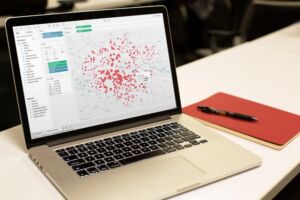
Coming Soon: Tableau 2022.1 – What Does It Offer New
- List the unused data sources: Data sources imported in a workbook but not used are highlighted by the new feature. The developer can remove these data sources from the data source list to make the workbook faster.
- List of unused fields or data columns: Just like the data sources, workbook optimizer also highlights the data columns not used across the workbook. Removing these at the data source level can help improve the overall performance of the workbook.
- List of sheets not used in the dashboard: It is a common practise that developers tend to create sheets not used in the final dashboard. This creates unnecessary clutter and makes the dashboard slower. The workbook optimiser feature gives a list of such sheets which the user can delete to optimise the performance of the workbook further.
- Highlights lengthy calculations: The feature provides a list of calculations which are too complex and in turn reduce the performance of the dashboard. Simplifying a few of these can improve performance to a great extent.
 Ask Data Phrase Builder: This feature is available on Tableau Server and Tableau Online
Add field would look like as shown in the below screenshot:
Ask Data Phrase Builder: This feature is available on Tableau Server and Tableau Online
Add field would look like as shown in the below screenshot:
 Customize View Data: This feature is available on Tableau Server, Desktop and Tableau Online
This feature enables to reshape the tabular data behind your visualisation in the View data interface. One can create new columns, remove columns from the default view, change the order and sort the data using this feature. This reshaped data can also be exported as csv file to be shared with the team.
Change the root table: This feature is available on Tableau Server, Desktop and Tableau Online
Managing multiple data tables becomes easier and flexible with this new feature. One can swap any table to be the root table with a single click. This allows one to change the layout of the table quickly, reshape the data with a different root table and delete a specific table without deleting child nodes. For e.g., let us assume a user had to create a data source for an analysis using 3 tables namely ‘customers’, ‘orders’ and ‘returns’. The user creates the data model such that ‘customers’ is the root table followed by ‘orders’ and ‘returns’. But after performing some analysis the user realises that ‘orders’ should be the main root table. In such cases the user would have to re-create the data again from scratch but with the new ‘Swap with root table’ feature user can do the changes with a few clicks.
Parameter Enhancements in Tableau Prep
In version 2022.1 Tableau Prep is adding even more places where one can use parameters in the flow as well as user enhancements. Now, one can:
Customize View Data: This feature is available on Tableau Server, Desktop and Tableau Online
This feature enables to reshape the tabular data behind your visualisation in the View data interface. One can create new columns, remove columns from the default view, change the order and sort the data using this feature. This reshaped data can also be exported as csv file to be shared with the team.
Change the root table: This feature is available on Tableau Server, Desktop and Tableau Online
Managing multiple data tables becomes easier and flexible with this new feature. One can swap any table to be the root table with a single click. This allows one to change the layout of the table quickly, reshape the data with a different root table and delete a specific table without deleting child nodes. For e.g., let us assume a user had to create a data source for an analysis using 3 tables namely ‘customers’, ‘orders’ and ‘returns’. The user creates the data model such that ‘customers’ is the root table followed by ‘orders’ and ‘returns’. But after performing some analysis the user realises that ‘orders’ should be the main root table. In such cases the user would have to re-create the data again from scratch but with the new ‘Swap with root table’ feature user can do the changes with a few clicks.
Parameter Enhancements in Tableau Prep
In version 2022.1 Tableau Prep is adding even more places where one can use parameters in the flow as well as user enhancements. Now, one can:
- Get a list of all the parameters in one place rather than finding them in the flow. One can delete these parameters directly from the parameter window rather than to find it in the flow first.
- Include parameter names in exported output files.
- Include parameters in SQL scripts that you run before or after writing the flow output to a database. Include parameters in worksheet names when writing the flow output to Microsoft Excel.
- 1. Improvements in Esri Data Connector
- 2. Addition of new Accelerators
- 3. Added connectors to connect to more data sources

Thrive in Synergy: Leveraging the Confluence of Business Intelligence & Advanced Analytics
In this data-driven world, enterprises are dependent on humongous quantities of data that are subsequently analysed to uncover trends previously hidden and to carry out business functions. New tools, techniques, and technologies like those of Business Intelligence, Advanced Analytics, Machine Learning are used to analyse data and devise insights-informed strategies.
Also, they help entrepreneurs by guiding them to plan day-to-day operations, ensure fast and accurate reporting, increase revenue, identify new revenue streams, identify revenue leakage…the list is virtually endless.
Advanced Analytics
Gartner explains Advanced Analytics as an autonomous or semi-autonomous examination of data or content using sophisticated techniques and tools to discover deeper insights, make predictions, or generate recommendations. It uses Machine Learning, Artificial Intelligence, Predictive Analytics, Data Visualisations, and Text Mining to examine large data sets.
In fact, Advanced Analytics is generally comprised of two divisions:
- Predictive Analytics
- Prescriptive Analytics
Predictive Analytics: What might happen in the future
Predictive Analysis is the third and most critical process of Advanced Analytics. It uses techniques like artificial intelligence, data mining, machine learning, modelling, and statistics to make predictions. Predictive modelling helps businesses like healthcare, marketing, sales, supply chain etc. to optimize operations, improve customer satisfaction, manage budgets, identify new markets, anticipate the impact of external events, develop new products and set business, marketing and pricing strategies.
Prescriptive Analytics: What should be done
Prescriptive analytics is a vital tool used in creating data-driven decisions. optimizing operations, growing sales, managing risks formulating strategies, and reaching organizational goals. It uses statistics and modelling to recommend future actions by applying data to the decision-making process.
Advanced Analytics and Business Intelligence Market Size
The Advanced Analytics market is showing continual progress as enterprises embrace these tools to effectively manage complex business processes. Reportlinker.com predicts that the global Advanced Analytics market size may grow from USD 33.8 billion in 2021 to USD 89.8 billion by 2026, at a Compound Annual Growth Rate (CAGR) of 21.6%.
A similar trend can be noticed in the case of the Business Intelligence market too. To quote Fortune Business Insights, “the Business Intelligence market is set to reach USD 43.03 Billion by 2028 in connection with rapid digitisation and robust demand for data personalisation to foster market development”.
Business Intelligence
Advanced Analytics is all about predicting future strategies, whereas Business Intelligence is focused on past performance, relying on methods such as querying, reporting, and dashboards. It uncovers trends and presents findings through visualization tools. The results show that companies adopt new approaches to increase operational efficiency and improve sales and customer relations through real-time analysis.
Functions of Business Intelligence are listed below:
Data Mining
Data mining is the process of unearthing information and patterns from massive datasets to visualizing in dashboards to generate inferences to assist the decision-making process. By adopting various techniques and procedures, knowledge is extracted to solve business problems to promote sales and marketing.
Process Mining
Powered by Data Mining and Power Analytics, Process Mining extracts insights from the existing data and helps to find the bottlenecks that hinder efficiency and compliance. It ensures a better customer experience, loT process improvement, identifies and analyses supply chain management weak links, optimises procurement and speed-up payment collection.
Complex Event Processing
CEP employs a set of techniques to analyse Big Data for real-time benefits. Opportunities and threats in business operations are identified and monitored to pave the way to success. Companies adopt CEP for fraud prevention and detection, real-time marketing, stock market trading and allied areas.
Business Performance Management
Widely known as Corporate Performance Management (CPM), BPM implies all processes or methodologies that optimise business performance. It also initiates the achievement of business goals like budgeting, planning, and forecasting and helps to improve employee performance. It identifies risks, selection of goals for progressive development, and streamlines financial processes.
Benchmarking
Benchmarking process is evaluating the management practices of one company with its best counterpart. Comparing the organisational processes in relation to the best performances allows companies to evolve by developing plans to improve their tactics.
Top 5 Advanced Analytics Tools
Alteryx: A self-service platform that can help users extract, clean and analyse data through an automated process.
Anaconda: It is an open-source Python and R-focussed platform to analyse and visualise data.
Google Cloud Platform: Known to be one of the enormous machine learning stacks, Google Cloud AI offers many products to analyse and manage data in real-time.
Knime: An open-source software that visualises data flows and helps discover new insights with minimal or no programming.
MS Azure: It is a platform (PaaS) that combines data from various sources, then stores and finally transforms it for different purposes.
Top 5 Business Intelligence Tools
Tableau: Tableau supports multiple data sources to easily analyse and visualise data in handy dashboards.
Power BI: This business analytics tool which can be accessed from anywhere helps in identifying real-time trends and delivering reports via real-time dashboards.
Qlik sense: It is a popular and complete Business Intelligence tool with its unique search and conversational analytics platform that discover new observations using natural language.
Micro strategy: It offers high speed and powerful dashboarding, cloud solutions and hyper-intelligence that can be accessed from a laptop or mobile.
IBM Cognos Analytics: Designed to discover even hidden patterns, Cognos Analytics interprets and presents data in a visualised pattern.
Conclusion
Business Intelligence and Advanced Analytics go hand in hand, from assisting business operations to improving customer satisfaction. Yet they are distinct from each other in their own ways. The amalgamation of these two technologies – Advanced Analytics and BI – improves the efficiency of business operations, delivering predictions based on historical and present data and enhancing performance in sales, maintenance, and customer satisfaction.

Building Smarter Dashboards with Tableau's AI Features
The Rise of AI-Driven Analytics
Artificial intelligence (AI) has transformed the analytics landscape, enabling organizations to automate complex tasks, identify patterns, and predict future trends. Tableau's AI-powered capabilities are designed to augment human intelligence, streamlining the analytics process and uncovering new opportunities.
Tableau's AI Features: A Brief Dive
1. Tableau Pulse: Powered by AI, Tableau Pulse offers contextual, personalized, and intelligent insights at your fingertips. It redefines data experience by making data accessible to everyone despite their expertise in data visualization tools. The Insights Platform within Tableau Pulse automates the identification of contributors, trends, drivers, and outliers for relevant metrics and streamlines and democratizes data analysis. Tableau Pulse's Metrics Layer lets KPIs and key metrics and KPIs be defined and utilized consistently across the enterprise, creating a unified source of truth for decision-making. Tableau Pulse also offers a Next-Gen Experience by offering intuitive, user-friendly metrics directly into the tools users already work with, such as email or the Tableau web app, enabling users to engage with data in real-time and effortlessly scale insights.
Real-World Application: Employing Tableau Pulse in the supply chain helps track and monitor shipping times, inventory levels, and supplier performance in real time, facilitating informed and proactive decision-making.
2. Tableau Agent: A conversational AI assistant, Tableau Agent facilitates the data journey for new analysts using generative AI to expedite the analysis process from data collection to exploration. Tableau Agent is built on the Einstein Trust Layer, ensuring enterprises' data remains safe and accessible. It streamlines the stages of analysis by effortlessly creating calculations using natural language, making the process easier and faster for technical and non-technical users. It also creates AI-generated descriptions for data sources to convey their objective and essence consistently and informatively.
Real-World Application: In dealing with customer engagement, Tableau Agent helps personalize marketing strategies and campaigns to augment customer interaction based on customer preferences and behavior.
3. Einstein Copilot for Tableau: Quickly identify trends and explore data at every analysis phase with the reliable AI assistant, Eintein Copilot for Tableau. It doesn't matter if you are a novice or a seasoned analyst, as Einstein Copilot for Tableau enhances your Tableau experience by making analytics accessible to facilitate actionable insights and informed decisions. With this feature, you can easily produce AI-generated descriptions of data assets and explore data utilizing natural language directly from Tableau Cloud Web Authoring.
Real-World Application: Utilizing Einstein Copilot streamlines data analysis for business users by offering instant and expert-level insights to the questions asked without needing any technical expertise in data analysis.
4. Tableau Explorer: This feature employs machine learning algorithms to automatically identify key insights, patterns, trends, and correlations within your data. Discovering hidden data insights with AI offers intelligent recommendations for charts, dashboards, visualizations, and dashboards. Further, Tableau Explorer generates data-driven narratives, emphasizing key findings clearly and concisely. It enables users to grasp complex data insights and make informed decisions quickly.
Real-World Application: Using Tableau Explores optimizes operational efficiency by analyzing production data, facilitating the identification of areas of process improvement, and reducing costs.
5. Predictive Analytics: Tableau's predictive models enable you to forecast future outcomes, identify potential risks, and optimize business strategies. Regression analysis identifies relationships between variables while clustering groups similar data points for segmentation. Decision trees visualize complex decision-making processes, making understanding and optimizing outcomes easier.
Real-World Application: Predictive Analytics develops predictive models to forecast revenue and sales, allocate resources efficiently, and analyze data to check for potential setbacks.
6. Natural Language Processing (NLP): Tableau's NLP capabilities allow users to ask questions and receive answers in natural language, simplifying the analytics process. Tableau's Ask Data feature enables users to ask queries in everyday language and get answers instantly. The Explain Data feature automatically describes data patterns and trends and patterns, improving understanding and insight. Besides, text analysis facilitates sentiment analysis, entity recognition, and topic modeling, unlocking valuable insights from unstructured data.
Real-World Application: NLP facilitates the sentiment analysis of customer feedback, that is, analyzing the data from reviews, surveys, and social media to understand customers' sentiments and base decisions accordingly.
7. Automated Data Preparation: Tableau's AI-driven data preparation streamlines data cleaning, joining, and aggregation, freeing up valuable time for analysis. The AI-powered algorithms help identify and rectify errors, propose optimal data formats, and detect inconsistencies and missing values. It ensures data accuracy, completeness, and trustability, allowing users to concentrate on higher-level analysis and decision-making.
Real-World Application: Automating data preparation for financial reports simplifies the process by reducing manual effort and enhancing the accuracy of results.
Organizations across various industries have successfully leveraged Tableau's AI features to:
1. Enhance customer experience as predictive analytics helps identify customer churn patterns.
2. Optimize operations as automated data preparation streamlines supply-chain management.
3. Drive revenue growth as AI-driven insights uncover new business opportunities.
Dashboards that Talk: Revolutionizing Business Insights
Interactive dashboards that engage with you have revolutionized how businesses interact with data, ushering in an era of conversational analytics. Tableau, a pioneer in data visualization, has been at the forefront of this revolution, empowering organizations to unlock hidden insights and drive informed decision-making. With Tableau's natural language processing (NLP) capabilities, users can ask questions and receive answers in a conversational format, eliminating the need for tedious data analysis. This seamless interaction lets stakeholders focus on strategic decision-making rather than getting bogged down in data intricacies. Furthermore, Tableau's automated insights and predictive analytics capabilities allow businesses to forecast trends, identify potential risks, and optimize operations, giving them a competitive edge in today's fast-paced market. The implications of interactive dashboards extend far beyond data analysis, transforming the very fabric of business operations. Executive dashboards can now provide real-time strategic guidance, while sales dashboards can predict performance and identify areas for improvement. Operational dashboards can monitor processes in real time, enabling swift corrective action. Moreover, customer service dashboards can deliver personalized support, fostering enhanced customer experiences. As AI and NLP continue to advance, the possibilities for talking dashboards will only expand, enabling businesses to tap into unprecedented levels of insight and innovation. By embracing these cutting-edge technologies, organizations can unlock new avenues for growth, efficiency, and competitiveness, ultimately redefining the future of business intelligence. With Tableau at the helm, the era of conversational analytics has truly begun, and the potential for transformation is vast.
Building Smarter Dashboards
To harness the full potential of Tableau's AI features, consider the following best practices: 1. Define Clear Objectives: Align your dashboard with key business goals and objectives. 2. Select Relevant Data: Focus on high-quality, relevant data to ensure accurate insights. 3. Leverage AI-Driven Insights: Use Tableau Explorer and predictive analytics to uncover hidden trends. 4. Design Intuitive Visualizations: Create clear, concise dashboards that facilitate decision-making. In today's data-driven landscape, building smarter dashboards is critical for business success. Tableau's AI features empower organizations to unlock hidden insights, drive informed decision-making, and stay ahead of the competition. By embracing these cutting-edge capabilities and following best practices, IT professionals, business leaders, and data analysts can create dashboards that propel business growth and innovation.

Tableau Server Health Check: Ensure Peak Performance for Your Tableau Environment
What is Tableau Server Health Check?
Tableau Server Health Check comprehensively evaluates the server's performance, configuration, and overall health. It aims to ensure that the server operates optimally, providing a seamless and efficient user experience. Regular health checks can prevent performance degradation, identify potential issues before they become critical, and ensure that the server environment is configured according to best practices.Critical Components of a Tableau Server Health Check • Server Performance • Server Configuration • Resource Utilization • Content and Workbook
When Should You Perform a Tableau Server Health Check?
- Regular Maintenance • Quarterly or Bi-Annually: Conducting a health check every three to six months helps identify potential issues early and maintain optimal performance over time.
- Performance Issues • Slow Load Times: If users experience slow load times for dashboards and reports, it clearly indicates that a health check is needed to diagnose and resolve performance bottlenecks. • Frequent Server Crashes: Regular crashes or downtime are signs of underlying issues that need immediate attention.
- Major Updates or Upgrades • Before and After Upgrades: Perform a health check before upgrading to a new version of Tableau Server to ensure the current environment is stable. Conduct another check after the upgrade to verify everything is working correctly and optimize new features.
- Changes in Usage Patterns • Increase in User Base: A health check ensures the server can handle the new load effectively if the number of users or the volume of data being processed significantly increases significantly.
- User Feedback • Negative User Feedback: If users report consistent issues with dashboard performance, accessibility, or other aspects of Tableau Server, it’s crucial to perform a health check to address these concerns.
- System Configuration Changes • Infrastructure Changes: Changes to the underlying infrastructure, such as hardware upgrades or network configuration changes, should be followed by a health check to ensure everything is configured optimally.
What are the Benefits of Tableau Server Health?
• Improved Performance • Better User Experience • Improving allocation of server resources and license management. • Increasing server stability, reliability, and uptime. • Scalability and Future Planning
How Does Beinex Conduct Tableau Health Check?
Our certified Tableau experts will evaluate your server environment and deliver a comprehensive report to help you identify and mitigate risks. Our process is structured into three main phases: Evaluation, Diagnosis, and Recommendation. Each phase focuses on different aspects of the server's operation to ensure that it meets your organization's needs and performs optimally. • Evaluation - We assess the size and configuration of your server, the performance of all data extracts and dashboards, server security, and more • Diagnose - We parse through server logs and review usage metrics to diagnose the root cause of any issues • Recommend - We present findings, best practices, and recommendations that you can act on immediately
Why Choose Beinex?
• Certified Team of Server Experts At Beinex, we pride ourselves on having a team of certified Tableau experts who bring extensive knowledge and experience to every project. Our specialists have the latest certifications and are continually updated with the newest Tableau features and best practices. • 300+ Tableau Deployments & Upgrades With over 300 successful Tableau deployments and upgrades under our belt, Beinex has a proven track record of delivering exceptional results. Our extensive experience spans various industries and business sizes, allowing us to understand and address the unique challenges different organizations face. • Tableau Premier Partner As a Tableau Premier Partner, Beinex stands among a select group of top-tier Tableau partners worldwide. This prestigious partnership recognizes our commitment to excellence and ability to deliver high-quality Tableau solutions.
How Beinex Can Assist You
Beinex, a premier Tableau partner, provides sustainable analytics solutions to organizations and helps to build superior data visual analytics capabilities internally through our bespoke training programs. Our team of Tableau-certified consultants are real-life Tableau business users passionate about Tableau and delivering a world-class experience. Connect with us: https://www.beinex.com/tableau-beinex/

Beinex Successfully Attains Alteryx Preferred Partner Status
We are delighted to achieve this award with our relentless dedication and unparalleled expertise on the Alteryx platform. With ample product knowledge, technical expertise, and sufficient focus on customer satisfaction, we were able to demonstrate the value that we offer as a partner. Our determination and dedication aided in supplementing our customers with the power to deliver faster and better business outcomes by intelligent decisioning using Alteryx.
 Last year, we were fortunate enough to successfully transform the majority of our clients’ businesses with Analytic Process Automation by quickly automating analytics and the entire data-driven business processes, resulting in quick wins and faster returns on ROI. We were also awarded with Alteryx 2020 Partner of the Year award, Middle East.
With the preferred partner status, we will be able to make even greater collaboration with the Alteryx team, helping us extract its possibilities to the next level.
Alteryx always stands for developing data-driven technical solutions to business problems by empowering its clients to be self-sufficient in handling data analytics and continues to provide unmatched services, like;
Last year, we were fortunate enough to successfully transform the majority of our clients’ businesses with Analytic Process Automation by quickly automating analytics and the entire data-driven business processes, resulting in quick wins and faster returns on ROI. We were also awarded with Alteryx 2020 Partner of the Year award, Middle East.
With the preferred partner status, we will be able to make even greater collaboration with the Alteryx team, helping us extract its possibilities to the next level.
Alteryx always stands for developing data-driven technical solutions to business problems by empowering its clients to be self-sufficient in handling data analytics and continues to provide unmatched services, like;
Last year, we were fortunate enough to successfully transform the majority of our clients’ businesses with Analytic Process Automation by quickly automating analytics and the entire data-driven business processes, resulting in quick wins and faster returns on ROI. We were also awarded with Alteryx 2020 Partner of the Year award, Middle East.
With the preferred partner status, we will be able to make even greater collaboration with the Alteryx team, helping us extract its possibilities to the next level.
Alteryx always stands for developing data-driven technical solutions to business problems by empowering its clients to be self-sufficient in handling data analytics and continues to provide unmatched services, like;
-
- Collecting data from multiple sources for quick analysis and faster insight generation.
- Exploration of data from on-prem databases, the cloud, and big or small data sets, and more.
- Analysis with maps, addressing solutions to deeply understand your customers and locations.
- Augmenting your team’s analytic output to gain insights by using data without any coding or analytics expertise.
- Embracing automation to effectively communicate with your stakeholders and enable intelligent decision-making to drive better, faster business outcomes.